NIS2 compliantBSI GrundschutzGDPR compliantProxmox hosted in GermanyOPNsense firewallsManaged mail serversNIS2 compliantBSI GrundschutzGDPR compliantProxmox hosted in GermanyOPNsense firewallsManaged mail servers
Shift planning that thinks along with the time tracking
Wherever people work in rotating shifts, the answer to „who is on nights next week?“ often hangs on a notice board — and the working time model is stuck to the person. Here the model follows the shift instead: the time of the clock-in decides which shift someone is actually working.
Plan graphically in the monthly grid — tap a shift, drag across the days
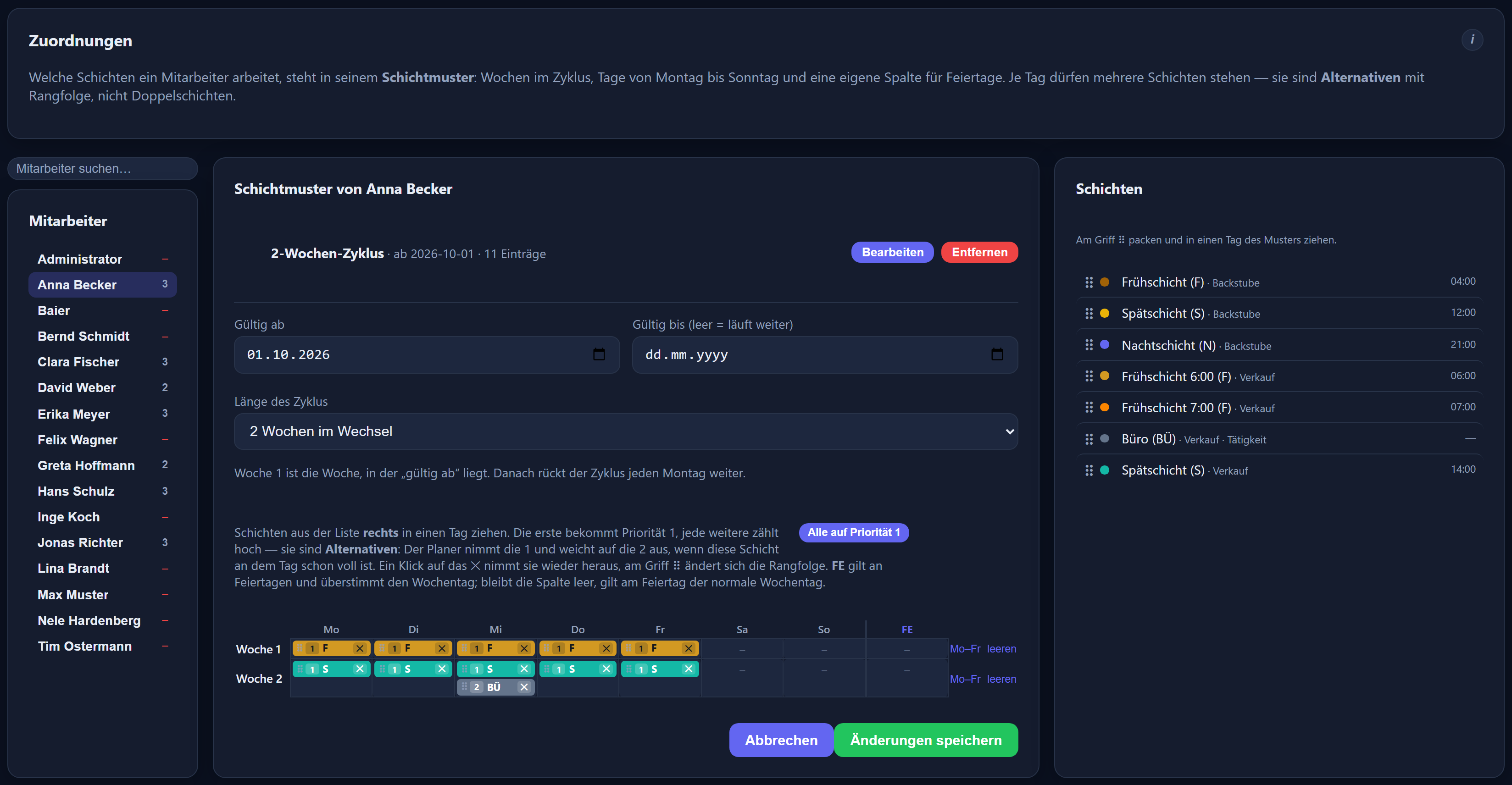
Rhythm for rotating duties: week 1 earlies, week 2 nights
The shift actually worked sets the target hours, breaks and premiums
Night shifts across midnight without special treatment
Notice board PDF for the wall, a separate slip per employee
Included in the price — no add-on module, no surcharge
Plenty of programs can plan. It gets interesting at the point where the plan and reality diverge — and they do so constantly.
Planned
Early shift 06:00–14:00
That is what the plan said and what hung on the notice board. Then somebody falls ill and the cover is swapped at short notice.
Actual
Clocked 22:00–06:00
A night shift was worked. In many systems the early shift's model keeps doing the calculation — and the night premium has to be added by hand.
With us
The result comes out right by itself
The night shift is recognised from the clock-in time. For that day its target hours, its break rule and its premiums apply. The deviation from the plan stays visible — outlined in red, so that nobody misses it.
That is where effort is genuinely saved: not in the planning, but at the month-end close. Anyone who does not have to add the night premium by hand does not have to go looking for it when it is missing either.
Planning
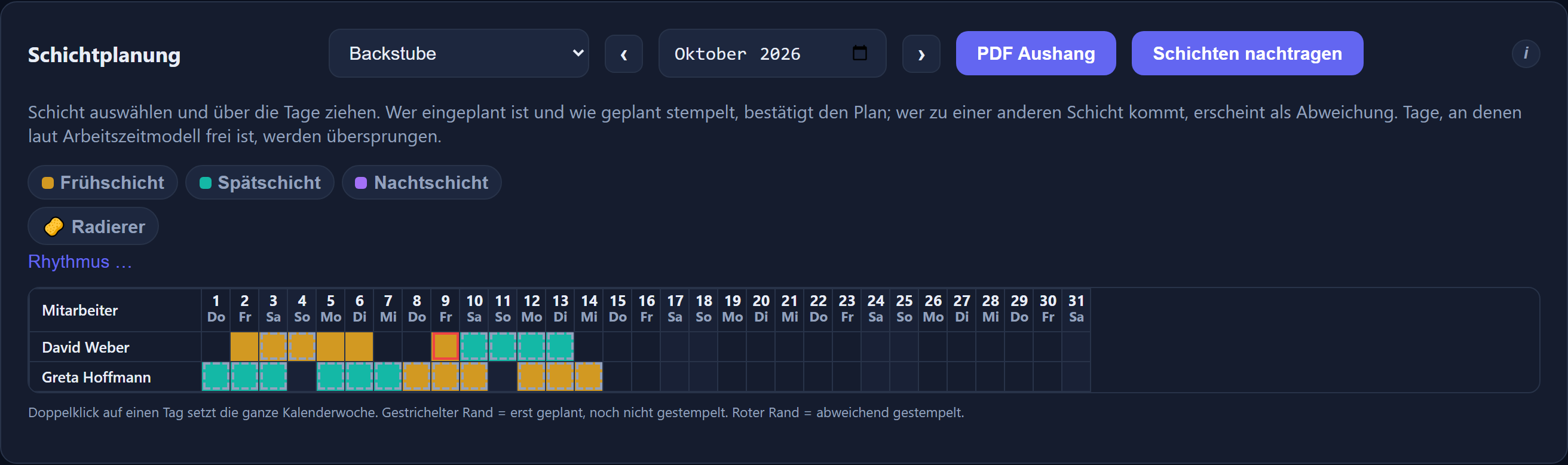
Tap, drag, done
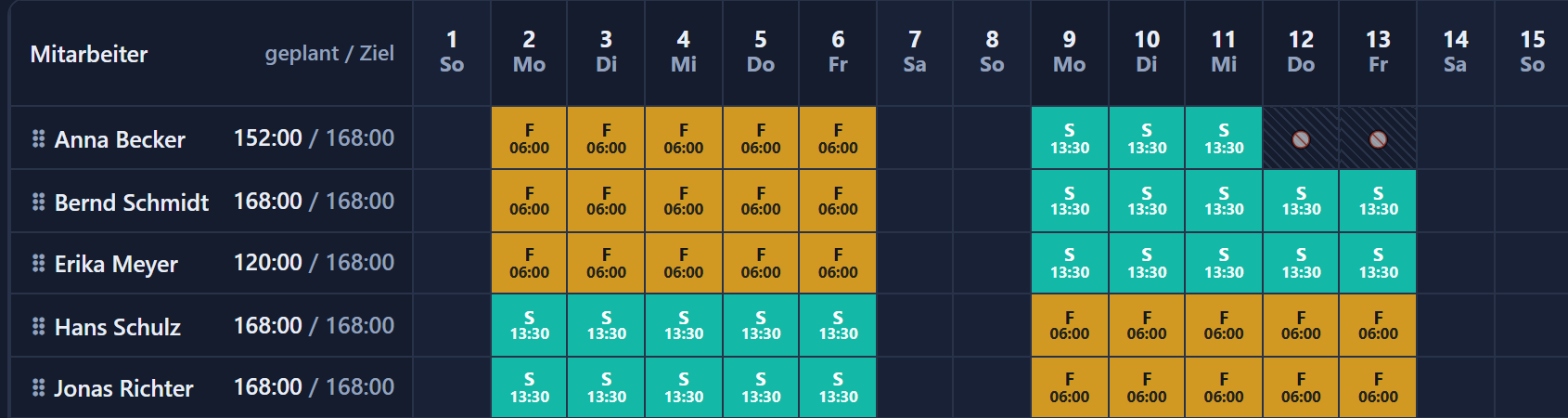
Planning works the same way as leave planning: with the mouse across the days, not in a form.
Employees in rows, days in columns, every shift in its own colour. The interface is in German.
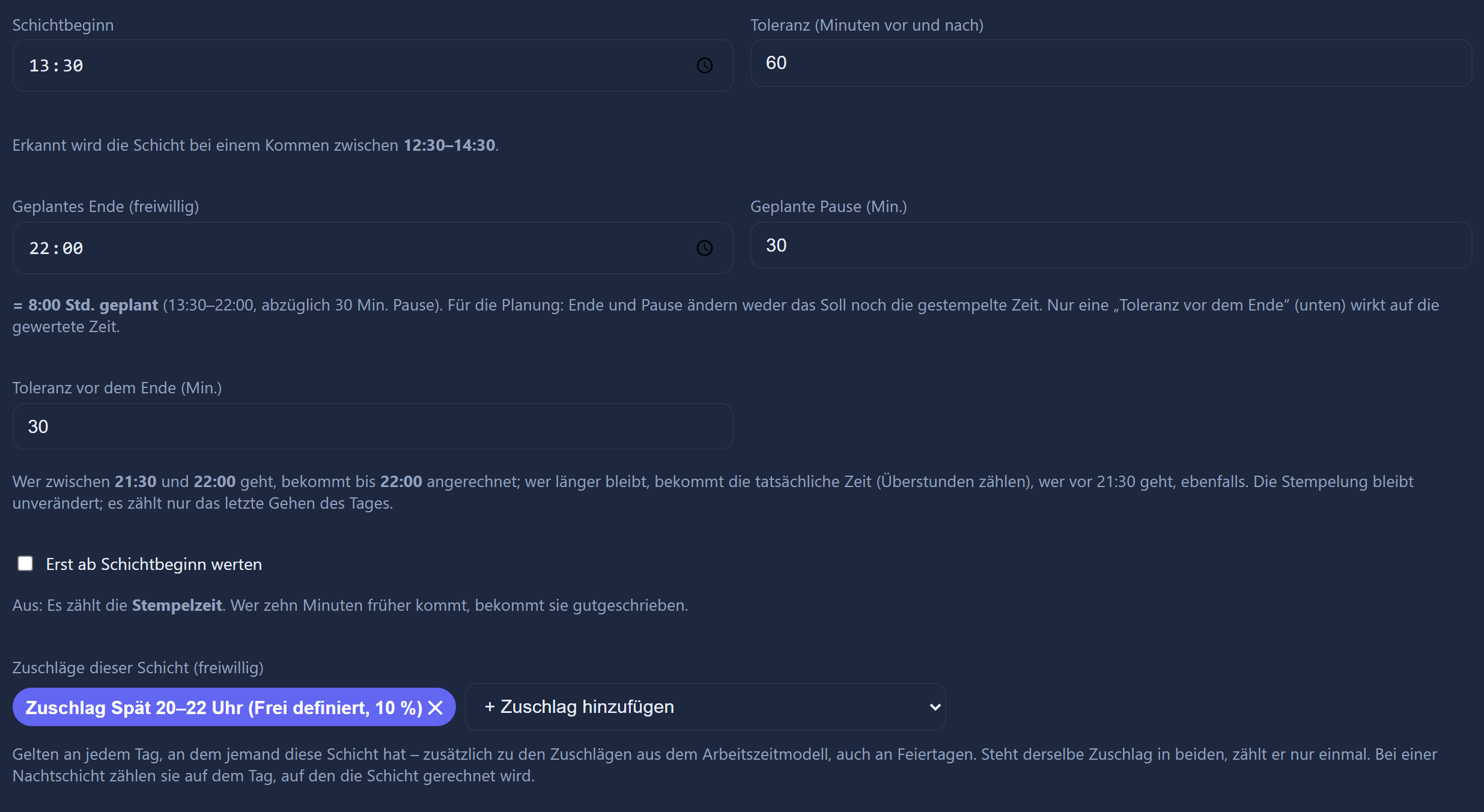
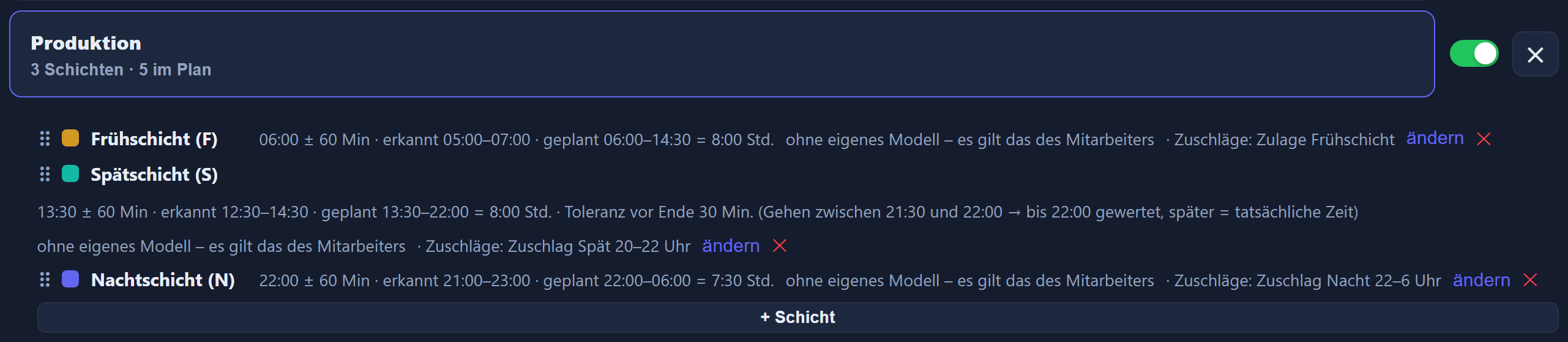
Per shift: start, tolerance, colour and the model that applies on that day.
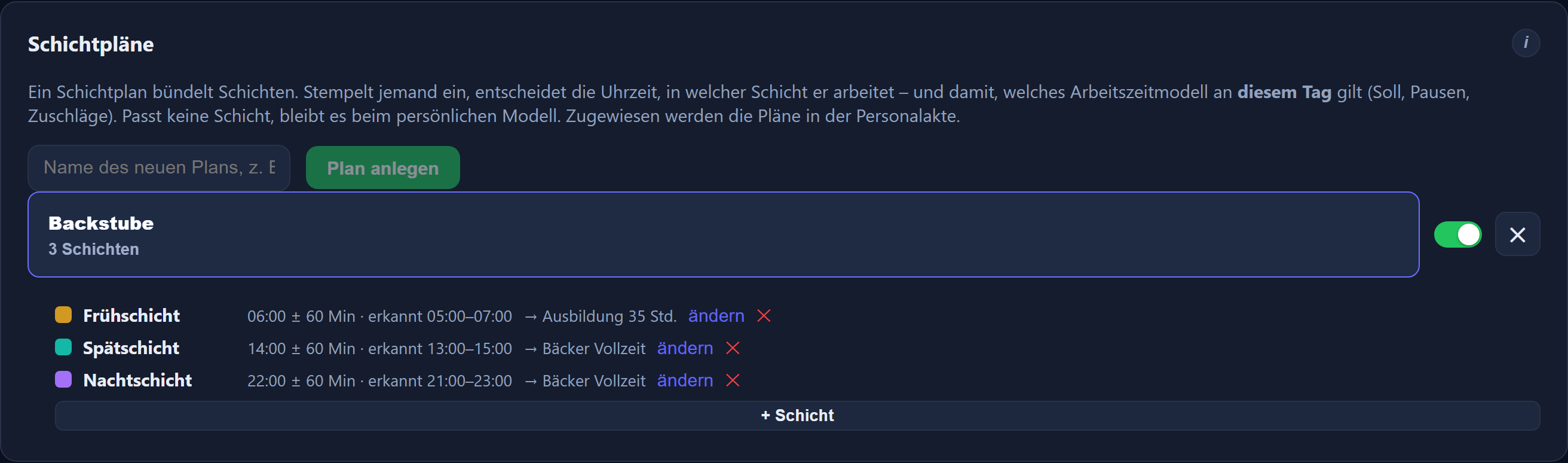
One plan per area
Under Models → Shift plans, one plan bundles the shifts of an area, say the bakery. For each shift you set a name, a start time, a tolerance, a working time model and a colour. The colour is how you recognise it later in the grid and on the notice board.
For rotating duties you define which shift applies in week 1, week 2 and so on — the sequence repeats until the end of the month. A double-click on a day fills the whole calendar week. Days free according to the model are skipped.
Unambiguous or not at all
The time windows within a plan must not overlap. A shift whose window touches another cannot be saved. When someone clocks in, it should never be open to question which of two shifts was meant.
Calculating
What the recognised shift brings with it
A shift is not just a colour in the grid. It pulls in the working time model that applies for that one day.
The recognised shift sits beside the day row — switchable, removable, traceable.
The shift's target hours, breaks and premiums
For the recognised day, the shift's target hours, its break rule and its premium types apply. Night, Sunday and public holiday premiums therefore follow from what was worked rather than from what was planned.
Night shifts across midnight
A time window may run across the change of day. The shift belongs to the day on which it begins — a night shift from 23:40 to 07:10 therefore to the day of the clock-in.
Missed days count correctly
Anyone rostered who does not turn up receives the target hours of the planned shift. A day missed from a six-hour shift produces six hours of deficit, not eight.
Anyone not rostered is untouched
For people with no shift entry, their personal working time model applies as before. A shift plan for production changes nothing in the accounts department.
Set by hand means it stays
From the selector you can switch a day's shift to another or remove it entirely, in which case the personal model applies again. A further clock-in does not overwrite a shift set by hand.
Planning a month retrospectively
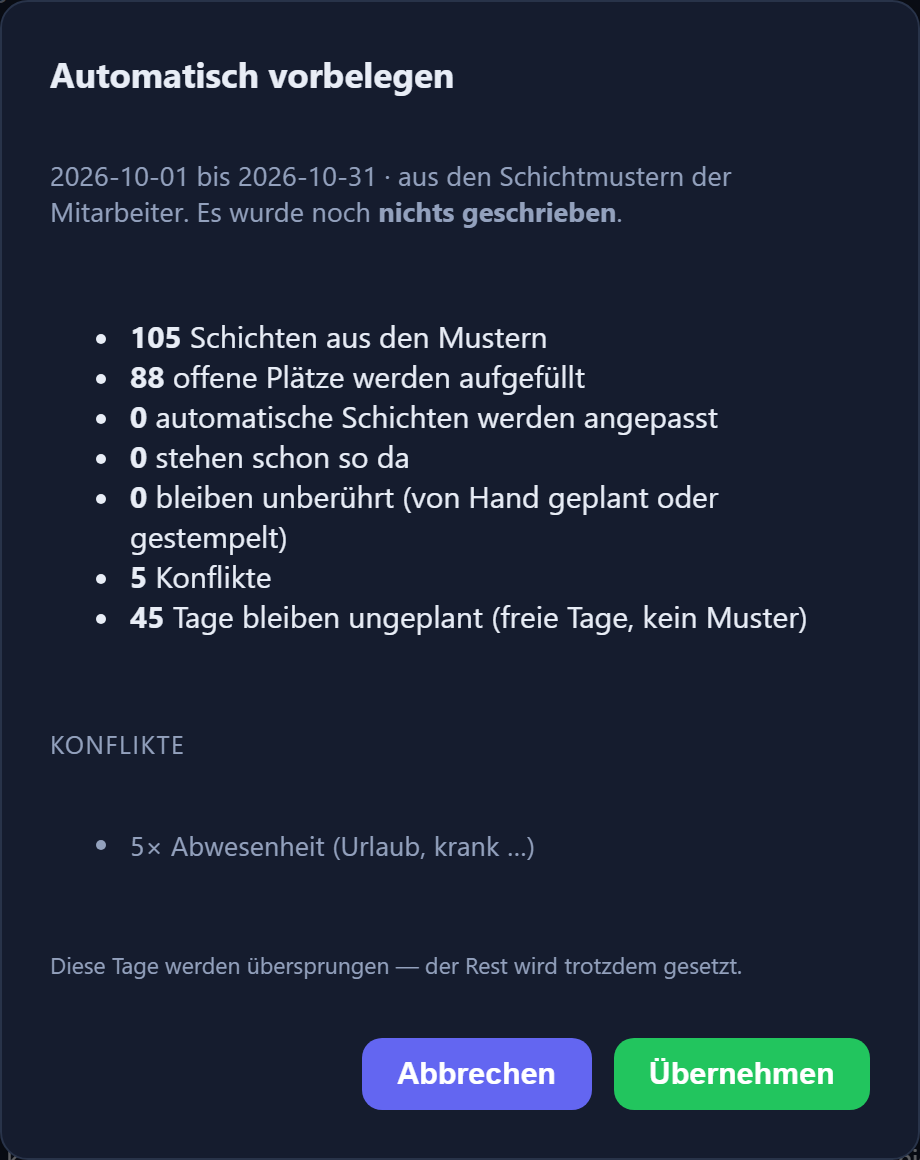
If a month was planned only later, „Schichten nachtragen“ reconciles the existing clock-ins with the planning. A second run changes nothing further.
Reaching people
On the notice board and on the phone
A plan is only useful once it is where people actually look.
Notice board PDF for the wall
The department's monthly grid in landscape format with a colour legend — to print and pin up. Alongside it a slip for each employee listing only their own shift days with date, shift and start time.
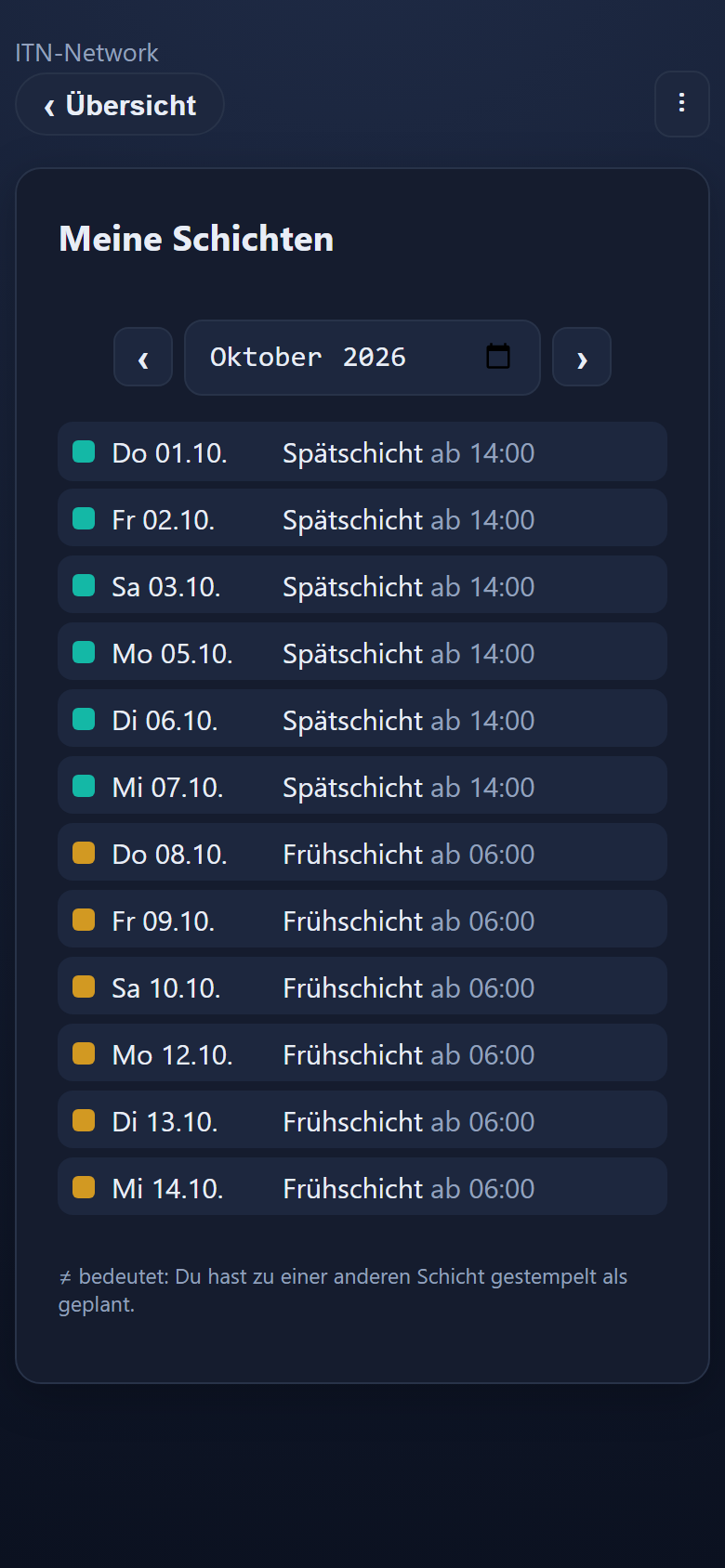
„My shifts“ in the app
A tile leads to the coming weeks. Anyone wanting to know when their next night shift falls does not have to drive to the site for it. It can be switched off per device — a tablet that only hangs in the workshop for clocking in stays free of it.
Deviations are visible
Anyone turning up for a different shift than planned sees it in the app as ≠ beside the day. In the grid and in the PDF, the day is outlined in red.
The next few days with date, shift and start time. The interface is in German.
Where it pays off
Businesses where the plan counts every day
Wherever people work in rotating shifts, the plan has a say every day — over cover, over premiums and over the month-end close.
Bakeries and food trades
The bakery from three in the morning, the shop from six, several branches on top of that, and apprentices with vocational school days. The night premium here is not an exception but the norm.
Care and nursing
Early, late and night duty in fixed rotation, cover at short notice, and payroll that has to state every premium correctly.
Production and workshops
Two or three-shift operation on a rotating rhythm. Anyone alternating weekly is planned for the whole month in two moves through the rhythm.
Hospitality and retail
Changing duties, a lot of part-time work, changes at short notice. What pays off most here is that people see their plan on their own phone.
Questions and answers
Frequently asked questions about shift planning
Does shift planning cost extra?
No. It is part of ITN-Zeiterfassung and included in the price of €2.90 per employee per month, or €1.00 for public sector employers and non-profit organisations. There is no add-on module and no higher tier.
How does the system know which shift someone is working?
From the time of the clock-in. For each shift you store a start time and a tolerance in minutes either side. An early shift at 07:30 with 60 minutes of tolerance is recognised on any clock-in between 06:30 and 08:30. The time windows within a plan must not overlap — a shift whose window touches another cannot be saved in the first place.
What happens if someone turns up for a different shift than planned?
The planning stays visible and the actual shift appears beside it — outlined in red in the grid, shown as ≠ in the mobile app, outlined in red in the PDF as well. The calculation always follows the shift actually worked: whoever works at night receives the night premium, even if they were rostered for the early shift.
How is a missed day calculated?
Anyone rostered who does not turn up receives the target hours of the planned shift. A day missed from a six-hour shift therefore produces six hours of deficit, not eight. Anyone not rostered for a day at all continues to be calculated with their own working time model — the shift plan does not touch them.
Can rotating duties be planned?
Yes, through the rhythm. There you define which shift applies in week 1, week 2 and so on; the sequence repeats until the end of the month. A crew alternating weekly between earlies and nights is planned in two moves. Days that are free according to the working time model are skipped.
How are night shifts across midnight handled?
A time window may run across the change of day. The shift belongs to the day on which it begins: a night shift from 23:40 to 07:10 counts towards the day of the clock-in, even though it ends the following morning. Which calendar day the hours themselves land on is still decided by the working time model of the shift.
We planned a month retrospectively — does that still count?
Yes. Recognition normally happens at the moment of clocking in, so anyone planning after the fact would otherwise end up with a lot of unconfirmed days. That is what „Schichten nachtragen“ (add shifts) is for: it works through the existing clock-ins of the month on display and reconciles them with the planning. Days set by hand are left untouched, and a second run changes nothing further.
Do employees get to see their shift plan?
Yes, in two ways. On a computer, Time tracking → Shifts shows the department's grid, in which everyone finds their own shift days. In the mobile app the „Meine Schichten“ (my shifts) tile leads to the coming weeks with date, shift and start time. The tile can be switched off per device — a tablet that only hangs in the workshop for clocking in stays free of it.
Can we print the plan?
Yes. The notice board PDF produces the department's monthly grid in landscape format with a colour legend, intended for the wall. Alongside it there is a slip for each employee listing only their own shift days with date, shift and start time.
What happens if we delete a shift plan?
The plan and its shifts disappear, but days already recorded remain — the past should not change retrospectively. From then on the personal working time model applies again to those affected.
Every setting in detail — with screenshots from the application — is in the shift planning chapter of the feature reference. How target hours, breaks and core hours behave behind it is covered under working time models.
Enquiry
How are your shifts cut?
Tell us which shifts there are, how much tolerance is reasonable and whether there is a rotating rhythm. Then we will show you the planning on your own case rather than an invented one.
Our enquiry form is being set up
Until it is ready, please write to us directly — you will hear back just as quickly. The button below opens your mail programme with a prepared draft that already lists the details we need in order to quote.