
The digital time clock for the whole team
Not everywhere does everyone have a company phone or a desk with a PC. In workshops, production, stores and kitchens, a shared device at the entrance is the most workable route — as a tablet with a personal PIN, as an RFID terminal with a chip, or as a fixed terminal with a chip or fingerprint.
Tablet or terminal — what fits where?
Both serve the same purpose but differ in robustness, speed and effort.
PIN terminal
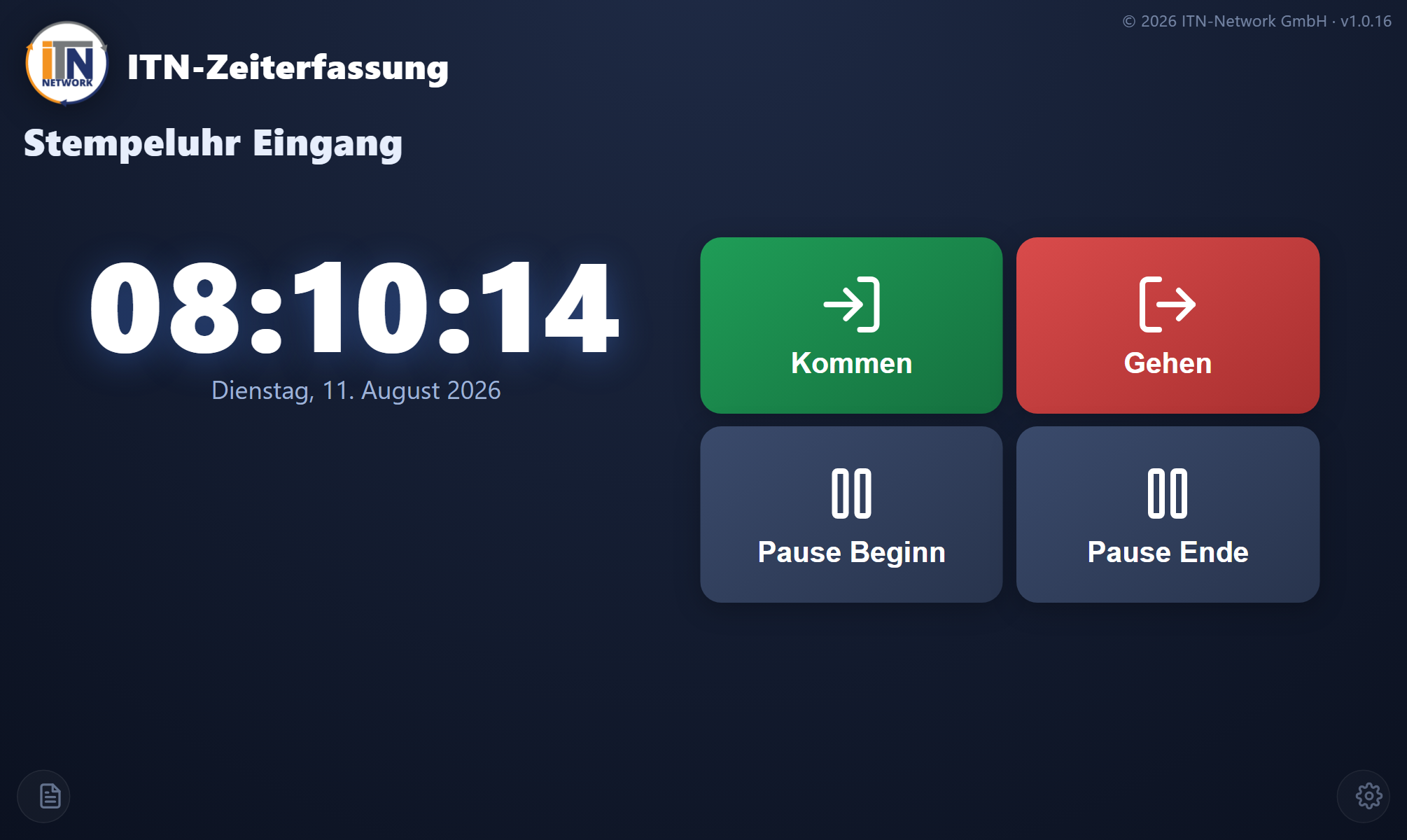
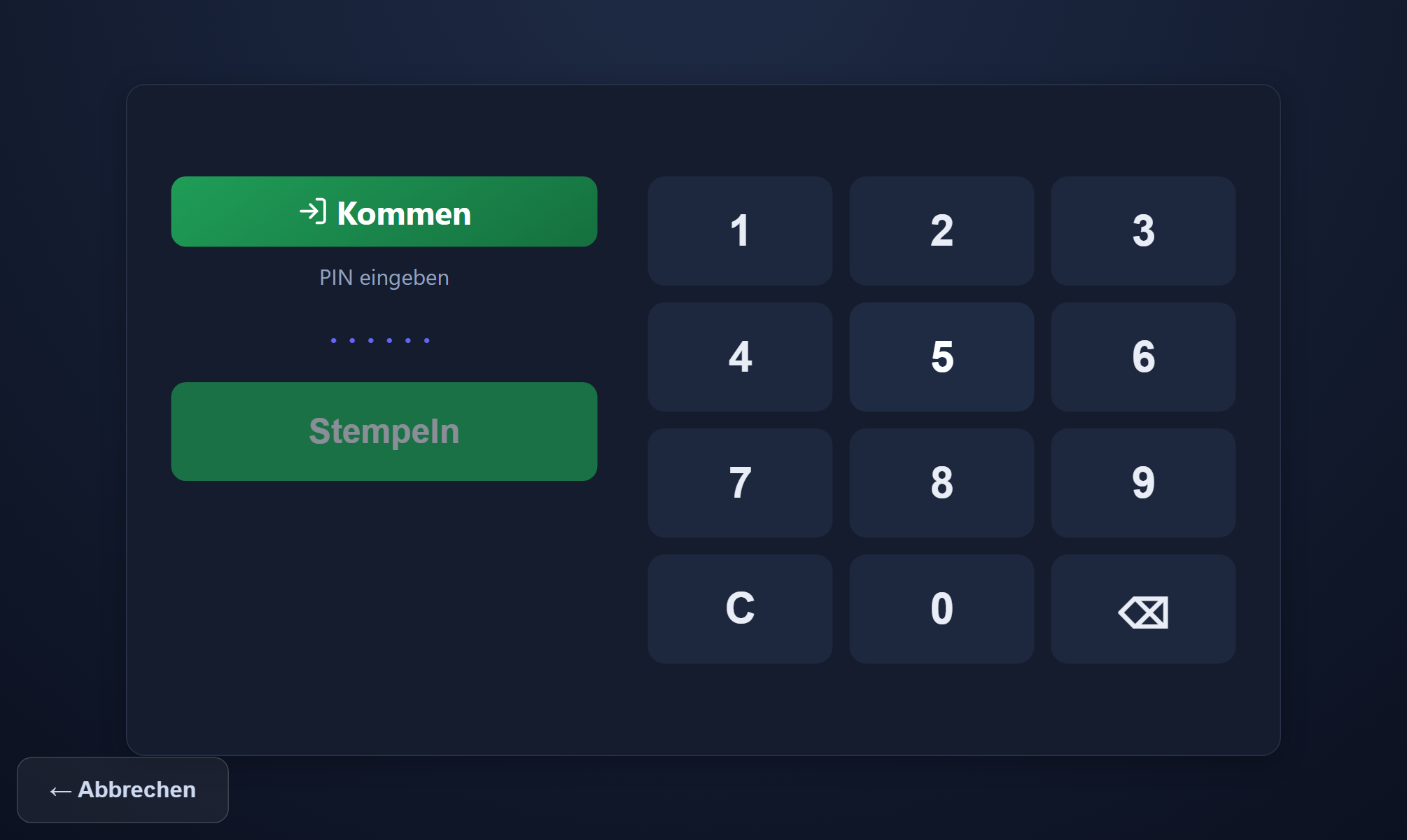
Any tablet shows the application full screen: tap the action, enter a PIN, get a confirmation. Cheap, quick to set up and usable on the move — on a building site that changes, for instance.
Fixed terminal
The RFID terminal on a Raspberry Pi with a chip reader, or Datafox hardware with a reader for an RFID chip or fingerprint, permanently mounted. No PIN to type, quick throughput at shift changes, robust in the daily life of a workshop or production floor.
Both together
A terminal at the main entrance, a PIN terminal at the satellite site, the mobile app for the fitters. The routes can be mixed per site and per group — everyone books into the same application.
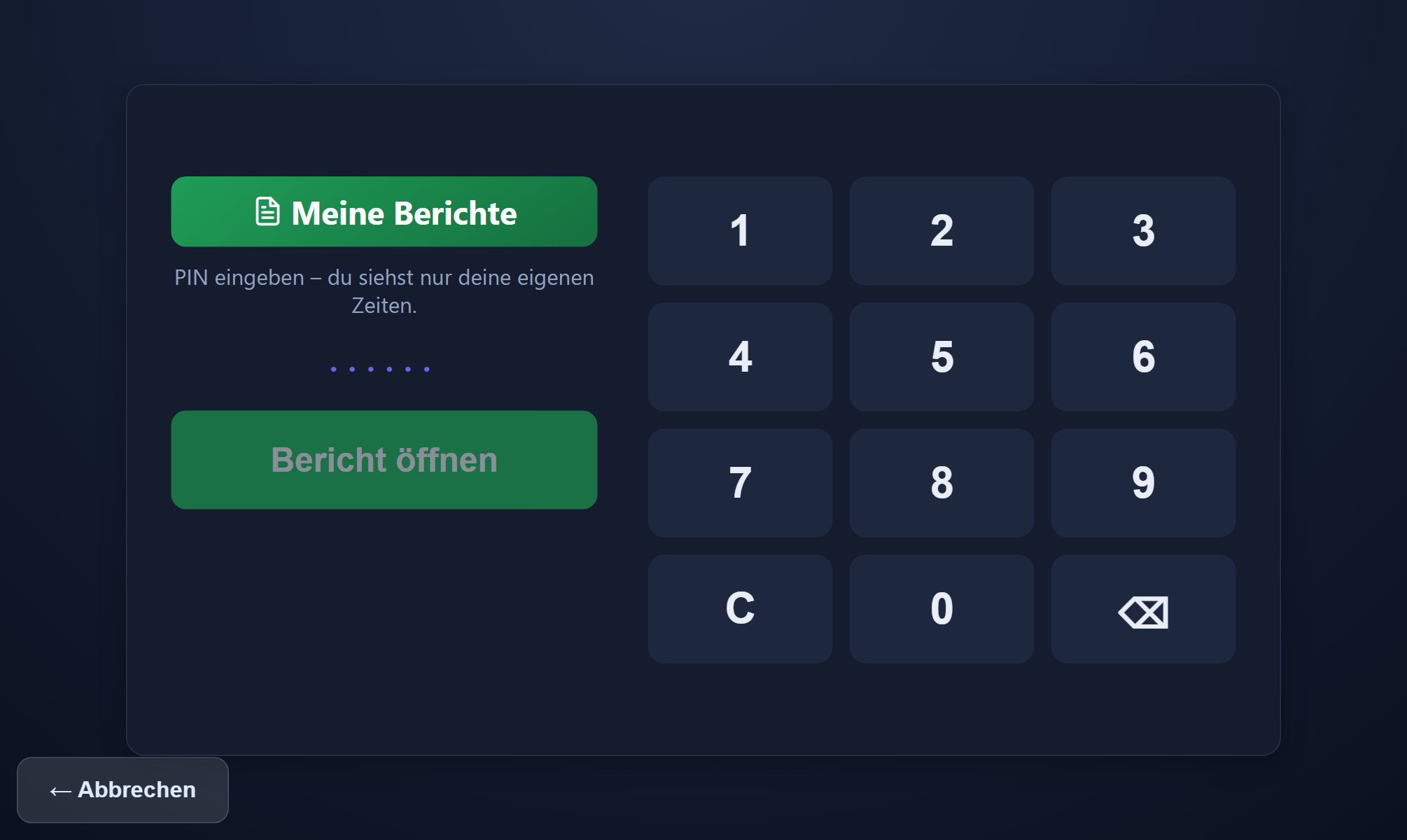
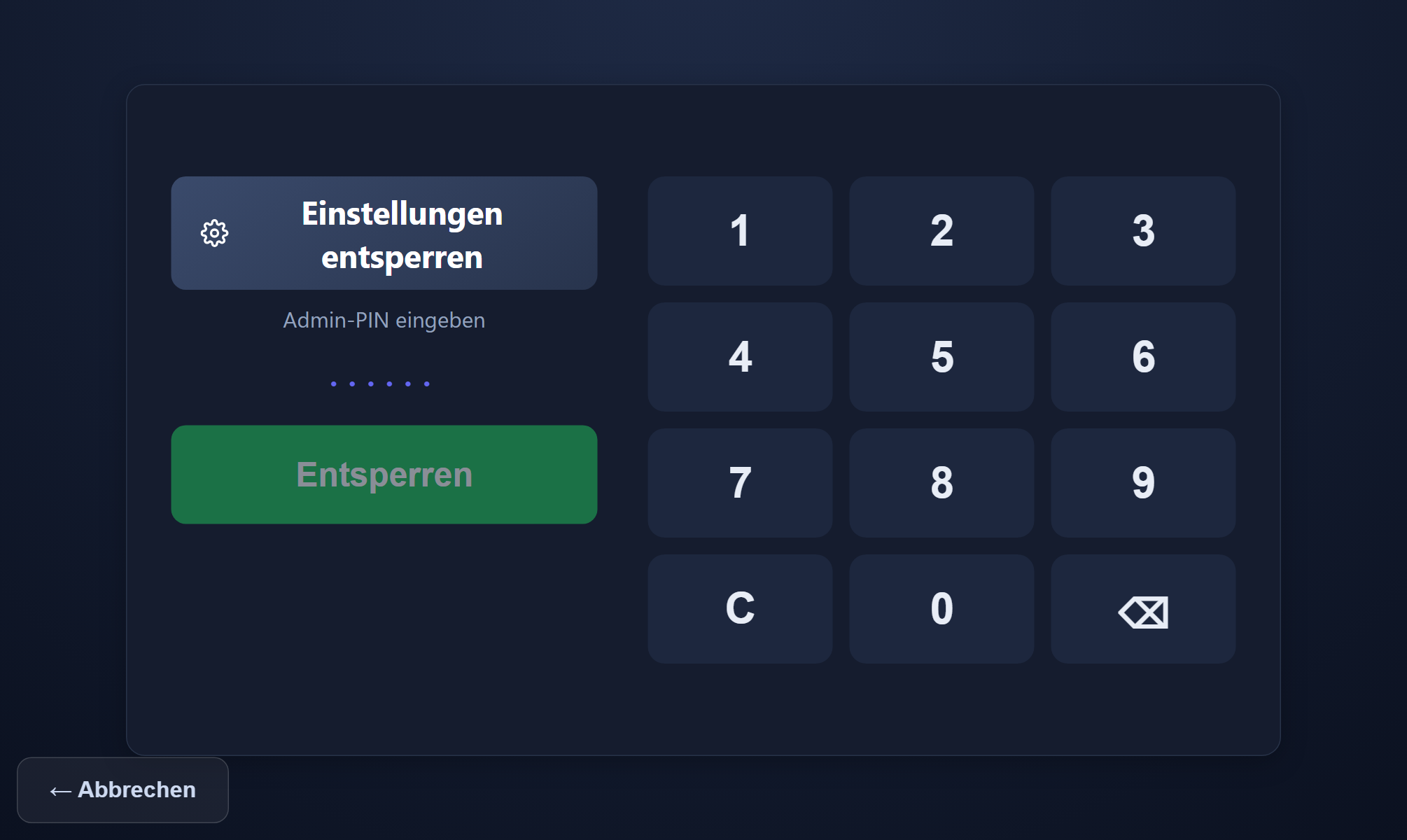
Four screens on the tablet
It needs no more: tap the action, enter a PIN, get a confirmation — and your own report if you want it. The interface of ITN-Zeiterfassung is currently available in German.
Clocking in with a chip — without a Datafox device
The same time clock also comes as an RFID terminal: a Raspberry Pi with a 7-inch touch display and a chip reader underneath; an arrow on the screen points to the reader. In the terminal list the design is switched to „RFID terminal (chip)“, and on the Pi the start address set as the browser's home page is all it takes — no keyboard needed.
Without pressing a button first, the terminal books the right action: anyone signed out arrives, anyone present leaves, anyone on a break ends it.
For a break, an errand or another clocking reason, press the button first, then present the chip. Anyone who has forgotten their chip clocks in with their PIN.
Presenting the chip a second time within 20 seconds books nothing — the terminal shows „already booked“.
An unknown chip is not booked. Its code appears in the personnel file, and one click assigns it.
The terminal buffers entries like the tablet — provided its clock has been synchronised with the server once since start-up. Otherwise it reports „no connection“ rather than booking with the wrong time.
Supplied, set up, connected
The difference from a pure software vendor: we supply the Datafox terminals, set them up and connect them to the application. You do not have to concern yourself with procurement, configuration, network integration and assigning chips to employees — exactly the points at which hardware projects otherwise stall.
Because we look after hardware and networks anyway, the time clock comes from the same hands as the software and the infrastructure behind it. When something goes wrong, there is no argument about responsibility between a software vendor, a hardware supplier and whoever runs the network.
Hardware prices are given in the quote — they depend on the model, the number of sites and the mounting. Use of the application itself costs, independently of that, €2.90 or €1.00 per employee per month.
RFID media are assigned to employees; every entry lands straight in the application.
Models with a fingerprint reader for environments where chips get lost.
We take care of siting, network connection and commissioning.
Software, hardware and network from the same point of contact — no ping-pong when there is a fault.
Terminals we supply and set up
Which model fits depends on the environment and the throughput — we clarify that beforehand. Prices are given in the quote.
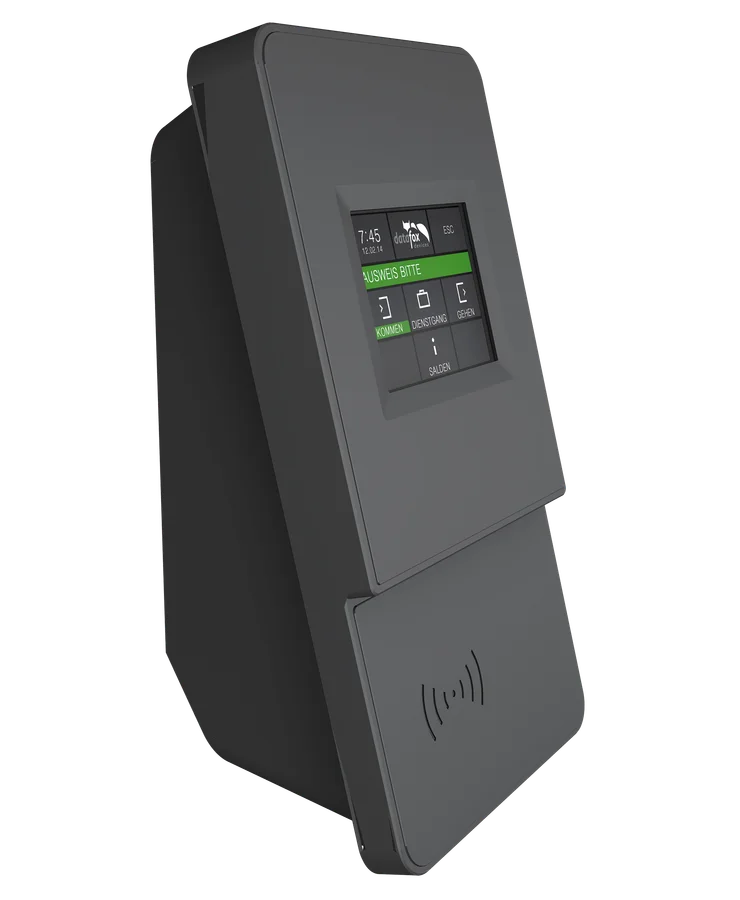
EVO 2.8
A compact terminal for the entrance. Entries by RFID chip or transponder.
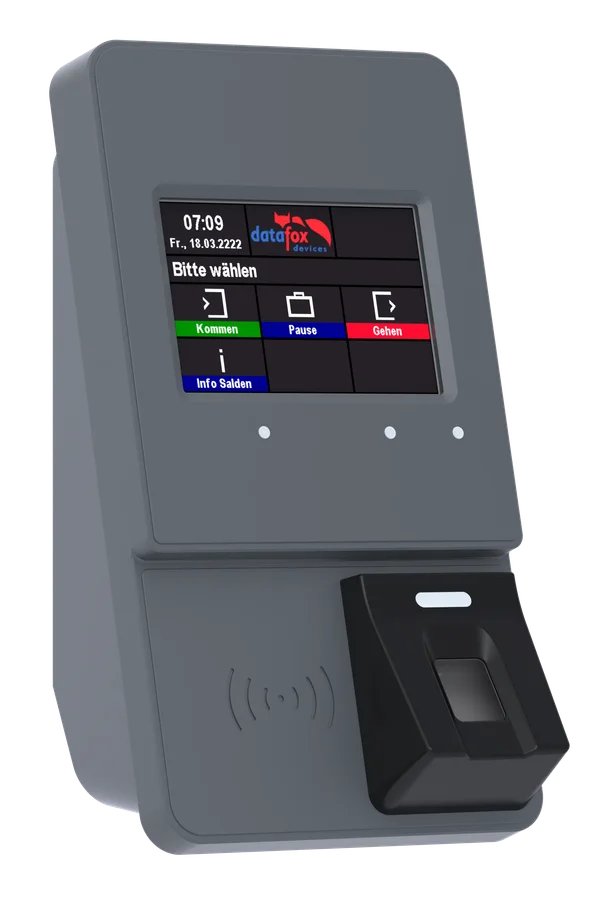
EVO 3.5 Pure with fingerprint
With a fingerprint reader — sensible where chips get lost or swapped around.
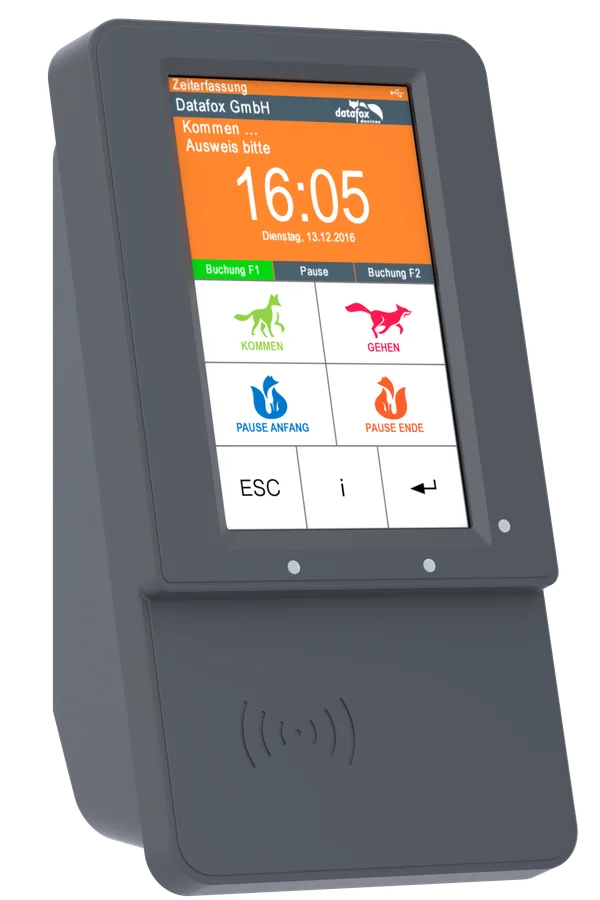
EVO 5.0 Pure
A larger display showing more on the device itself, useful where shift changes bring high traffic.
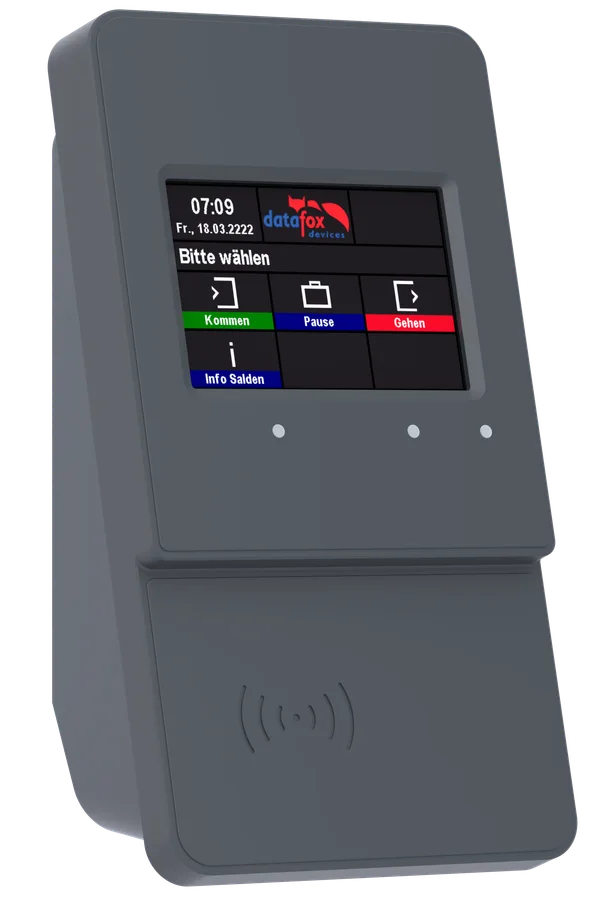
EVO 3.5 Pure
The same 3.5 inch touch display, with booking by RFID chip or transponder.
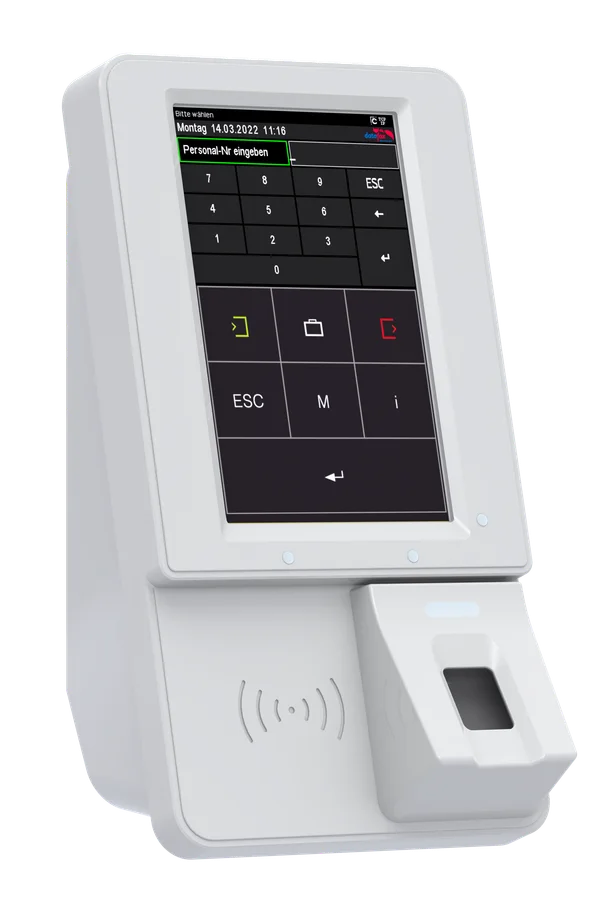
EVO 5.0 Pure with fingerprint
The large 5 inch display, with a fingerprint reader as well — the biometric match stays inside the device.
What the PIN terminal has to manage day to day
A shared device stands out in the open. That brings requirements a plain web page does not meet.
Operated in seconds
Large buttons for arriving, leaving and breaks, then the personal PIN. The confirmation fills the screen: a greeting by first name, the action booked with its time and the person's own figures — overtime, hours to work today, remaining leave. A tap dismisses it at once; at a shift change every second counts.
Your own report by PIN
Staff without access to a PC call up where they stand on the device itself — hours, balance, remaining leave.
Protected against tampering
The display size can be set and full-screen mode locked. The device stays on task, however many hands tap on it.
- full-screen lock
- display size
- offline buffer
Buffering when the network drops
If the connection fails, entries are buffered and transmitted later. Nobody stands in front of a device that cannot record anything.
Every screenshot of the PIN terminal and the terminals is in the feature reference, in the chapters on the time clock and the Datafox terminals.
Step by step in the manual (in German): PIN terminal · terminals.
Frequently asked questions about time clocks and terminals
What is the difference between a PIN terminal and a fixed terminal?
The PIN terminal is an ordinary tablet showing the application full screen as a shared time clock: tap the action, enter your personal PIN, done. The RFID terminal is the same time clock on a Raspberry Pi with a 7-inch touch display and a chip reader: holding up the chip is enough, and the PIN remains as a fallback. A fixed Datafox terminal is dedicated hardware with a reader for an RFID chip or a fingerprint, permanently mounted and with no PIN to type. The tablet is cheaper and more flexible, the terminal more robust and quicker in throughput.
Can staff clock in with a chip without a Datafox terminal?
Yes, with the RFID terminal: a Raspberry Pi with a 7-inch touch display and a chip reader, showing the same time clock as the tablet. Holding up the chip is enough — the terminal books the right action. For a break or an errand the button comes first, and anyone who has forgotten their chip clocks in with their PIN.
Do I need a device for every employee?
No — that is the point of this option: one device at the entrance or in the workshop is enough for the whole team. Anyone who also wants to record on the move combines it with the mobile app.
Where do the terminals come from?
We supply and set up the Datafox terminals and connect them to the application, so you do not have to deal with procurement, configuration and integration yourself. Prices for the hardware are given in the quote, because they depend on the model and the number of sites.
Does the terminal work with a fingerprint as well?
Yes, there are models with a fingerprint reader and models that read RFID chips or transponders. Which makes sense depends on the environment — in a workshop or on a production floor, chips are often more practical than fingers.
What happens at the PIN terminal if the network goes down?
The PIN terminal buffers entries and transmits them once the connection returns. The display size can also be set and full-screen mode locked, so the device cannot be tampered with.
Can employees see their own hours at the PIN terminal?
Yes — a personal PIN calls up their own report on the device itself. That way nobody needs access to a PC to know where they stand.
For staff on the move the mobile app is the complement; how the hours are then calculated is covered under working time models. How one tablet per branch serves as the shared time clock is shown on the page for multi-site businesses.