
Ten islands, ten formats
Every branch keeps its list a little differently. At the end of the month head office gets ten different files and builds an evaluation from them by hand.
The reports chapterTen sites, ten rosters, ten piles of timesheets. In one system they are ten groups: every branch manager sees their own people, head office sees all of them — and both see the same figures.
Three points that grow with every additional site.
Every branch keeps its list a little differently. At the end of the month head office gets ten different files and builds an evaluation from them by hand.
The reports chapterA phone call to the branch answers the question for one site. For ten sites that is ten calls — and by the time they are done the answer is out of date.
The attendance chapterWhoever works in one branch today and another tomorrow appears in two lists — and at the end of the month in neither of them completely.
The administration chapterGroups represent the branches. What happens in the branch stays visible there — and is already summarised when head office looks at it.
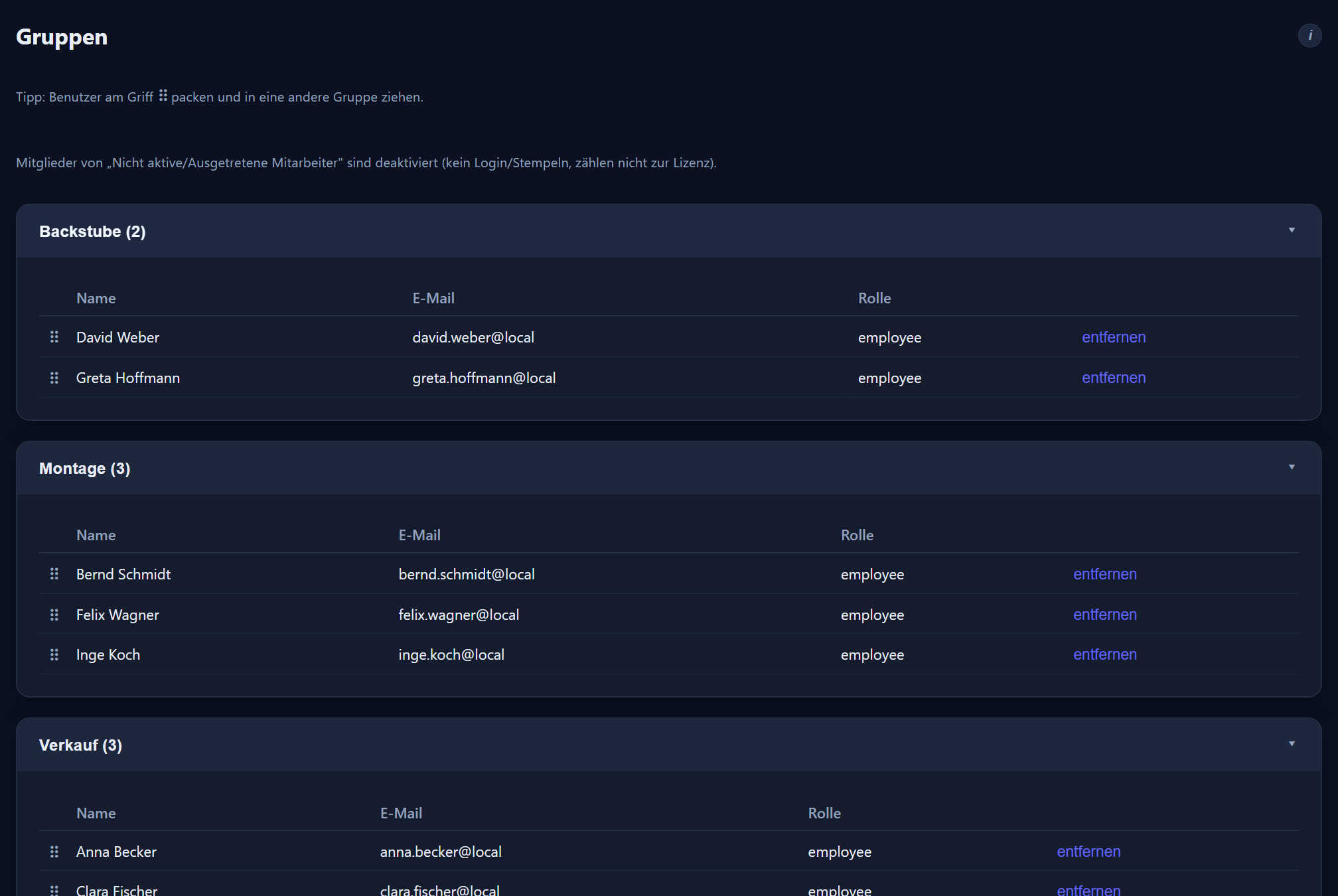

Every branch gets its group with a manager and a deputy on file. Whoever runs a group maintains its employees' hours and sees its requests and evaluations.
The attendance board shows per group who is currently in the house. On a screen in the branch or on a PC at head office — without a call and without asking.
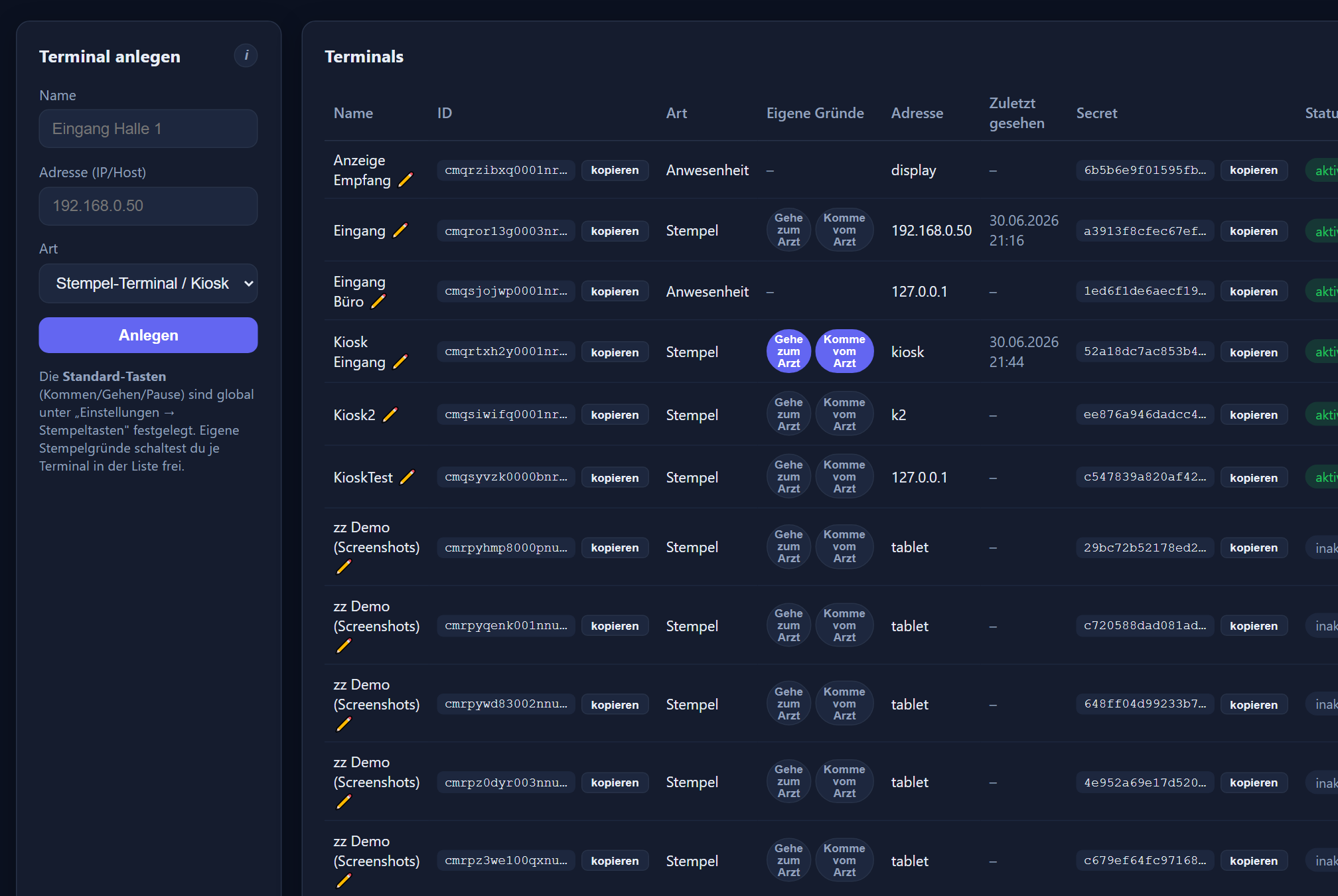
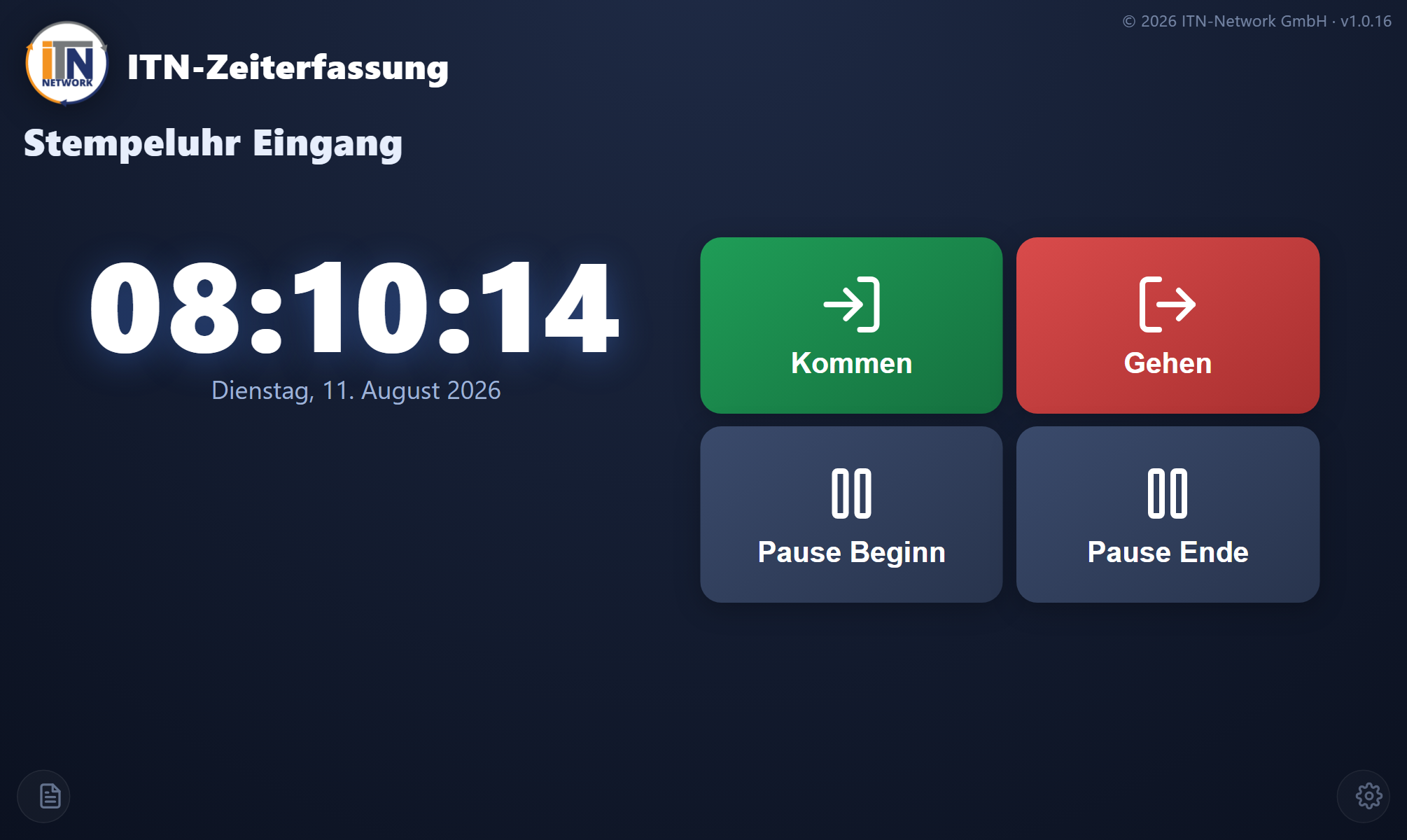
An ordinary tablet becomes a PIN terminal: everyone clocks in with their number, without their own PC and without their own phone. Where something more fixed is wanted, a Datafox terminal reads a chip or a fingerprint and reports every booking straight to the server.
Anyone looking after several sites gets them together: one dashboard, one absence overview, one approval route. Employees who help out in several houses remain one person with one account. Casual staff without fixed hours can get a model in which simply all hours worked count.
Reports per person, per group and across all groups — as a table, PDF and CSV. Head office does not recalculate, it reads off. „Per E-Mail senden“ (send by email) sends the report on screen as a PDF to up to three addresses, such as the payroll office, with a check step before sending. For the payroll run an import file for DATEV is produced, and for other payroll programs the payroll summary.
Changed opening hours on a bridging day go out as a message to all branches at once — into the app and, if you wish, also as an email through your own mail server, with a record of who has read it. That replaces the round of calls the evening before.
More on this: PIN terminal and terminals · staff messages · shift planning · bakeries · feature reference
Step by step in the manual (in German): groups · attendance · PIN terminal.
Yes. Groups represent the branches, sites the addresses that go with them. Planning, attendance, requests and reports can be viewed per branch; head office sees all the groups together.
Responsibility hangs on the group. A branch manager maintains the hours of their own employees and sees their requests and evaluations, and so does the deputy. Anyone with administrator rights sees all groups.
They remain one person with one time account. The department head role maintains the times of its groups and decides their reports — and those may be several branches, which then sit in one view. For casual staff without fixed hours there is the „Alle gearbeiteten Stunden zählen“ (all hours worked count) model: no target, every recorded hour counts.
A tablet is enough: it becomes a PIN terminal where everyone clocks in with their number. Where a fixed solution is wanted, a Datafox terminal reads a chip or a fingerprint. Anyone using their own phone clocks in with that.
Yes, through the attendance board. It shows the employees present per group and can be put on a screen in the branch or opened from head office. On the dashboard, the „Anwesenheit nach Gruppen“ (attendance by group) card shows per group who is in, since when and for how long, with clock-in errors below.
Through a message to everyone or to selected groups. It appears in the app and, if you wish, also arrives as an email through your own mail server. Marked important, it opens as a window the next time the app starts; afterwards you can read off who has seen it.
At the end of the month an import file for DATEV LODAS or Lohn und Gehalt is produced, for everyone, one group or one person. For other payroll programs there is the payroll summary as CSV or PDF: per employee target, actual, plus/minus, flexitime balance, premiums and days of absence. Individual reports go to the payroll office as a PDF by email at the press of a button.
The price follows the number of employees, not the number of sites: 2.90 € per employee and month plus VAT, and 1.00 € for church, non-profit and public-sector employers. Additional branches cost no extra.
Tell us your branches and the number of employees in each house. We will reproduce your structure and show you the evaluation head office gets afterwards.
The button below opens your mail programme with a prepared draft that already lists the details we need in order to quote. Prefer to talk? Give us a call.
Or simply write to info@itn-network.de. Please do not send us credentials or any of your employees' time records — figures are enough for a quote.