NIS2 compliantBSI GrundschutzGDPR compliantProxmox hosted in GermanyOPNsense firewallsManaged mail serversNIS2 compliantBSI GrundschutzGDPR compliantProxmox hosted in GermanyOPNsense firewallsManaged mail servers
„The delivery is not coming until seven tomorrow“ used to travel through phone chains and private messengers: past the time tracking and with no record. Here such messages reach the same people in the same program — with confirmation of who has read them.
To one person, a department or the whole workforce
Read receipts — with names and times if you want them
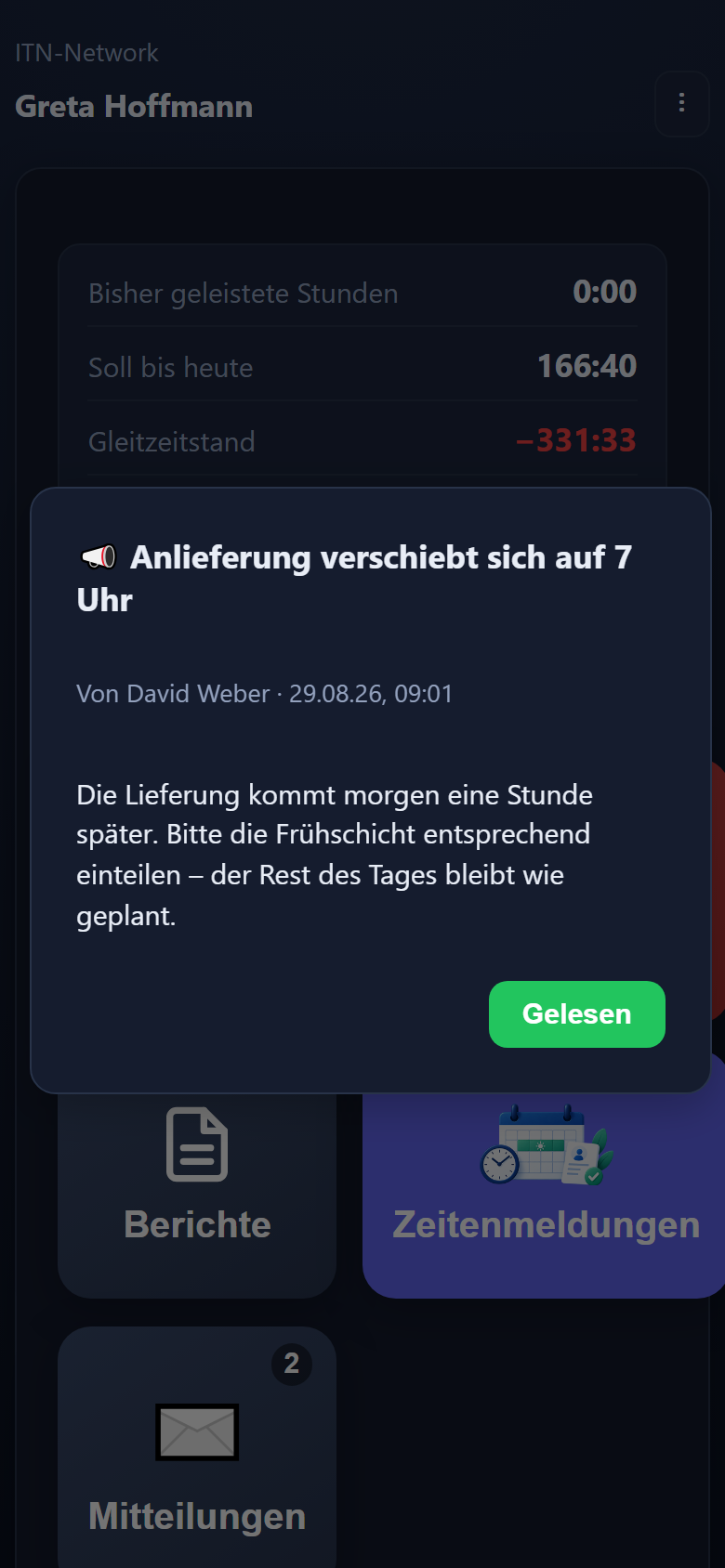
Important messages open as a window the next time the app starts
On a phone without setup, readable without a connection
In the app, and by email as well if you want — no push notifications
Messages where a follow-up question gets expensive
Not for chit-chat — for the information that has to reach everyone and, in case of doubt, be demonstrable.
Changed opening hours
On the bridging day the branch opens at ten. Anyone who does not know stands outside at seven.
Shift changes
The night shift starts an hour earlier this week. That has to arrive before someone turns up at the old time.
Work instructions
A new rule in the business. Later it should be traceable who took note of it.
Safety information
A hazard on site, a change of protective equipment. Here the record counts beyond the internal view.
How it runs
Write, arrive, acknowledge
Three steps, and at the end it says who has read it.
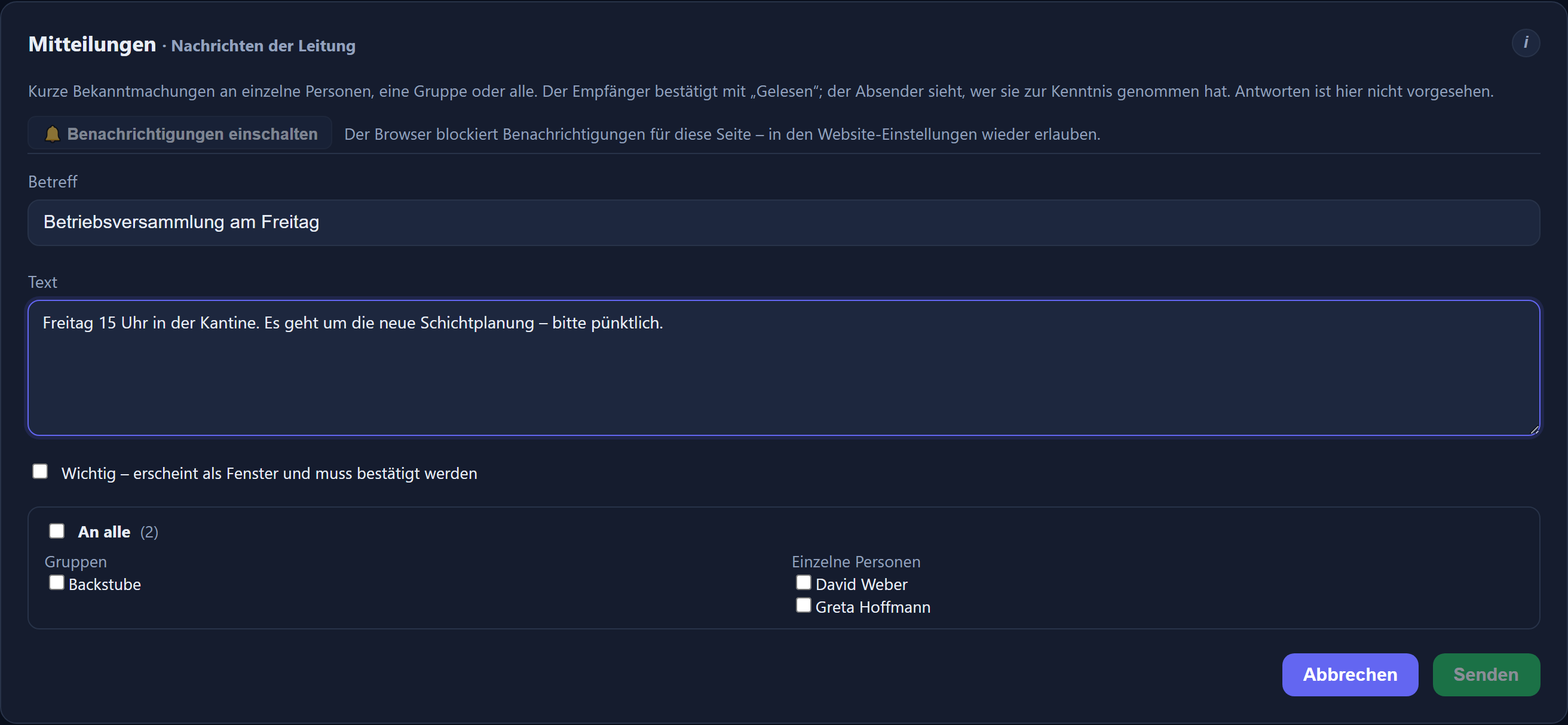
Subject, text, recipients — here everyone, and by email as well. The form says beforehand how many recipients have a notification address. The interface is in German.
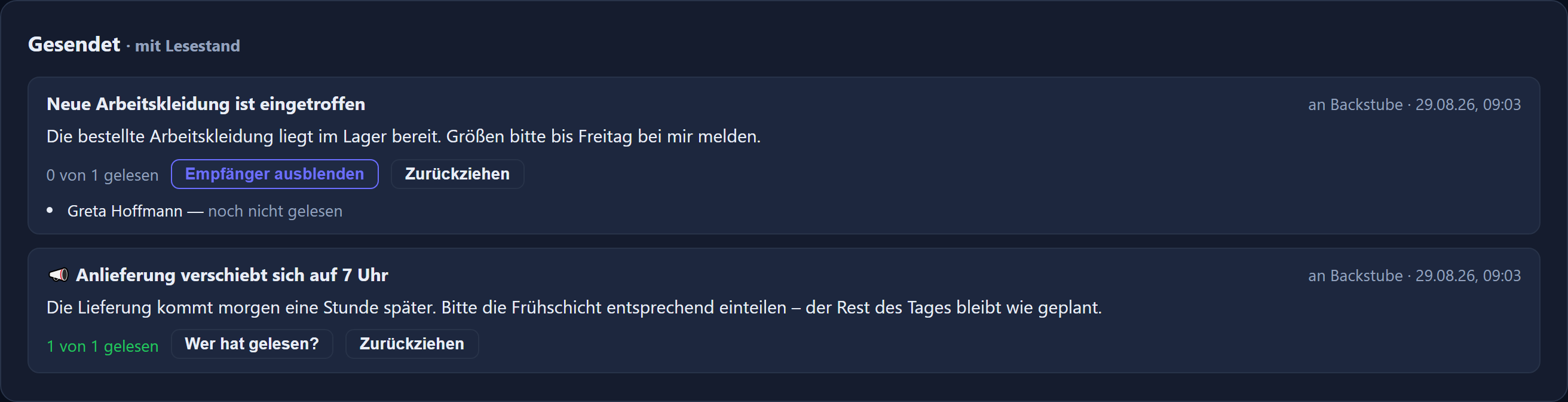
Under „Gesendet“ it says who has taken note of the message.
Writing is for those who carry responsibility
Administrators and management reach everyone, department heads and editors the groups assigned to them (any stored deputy counted in), a named line manager the people assigned to them. The recipient selector offers only those you are allowed to reach.
A normal message waits in the inbox; the bell and the tile show the number unread. One marked important opens as a window the next time the app starts and closes only on acknowledgement.
A record instead of asking around
Every sent message shows how many recipients have read it — with names and times if you want. A message can be withdrawn; it then disappears from every inbox, although emails already sent stay where they are.
On a phone
Nobody has to set anything up
Anyone already using the app to clock in has the messages along with it.
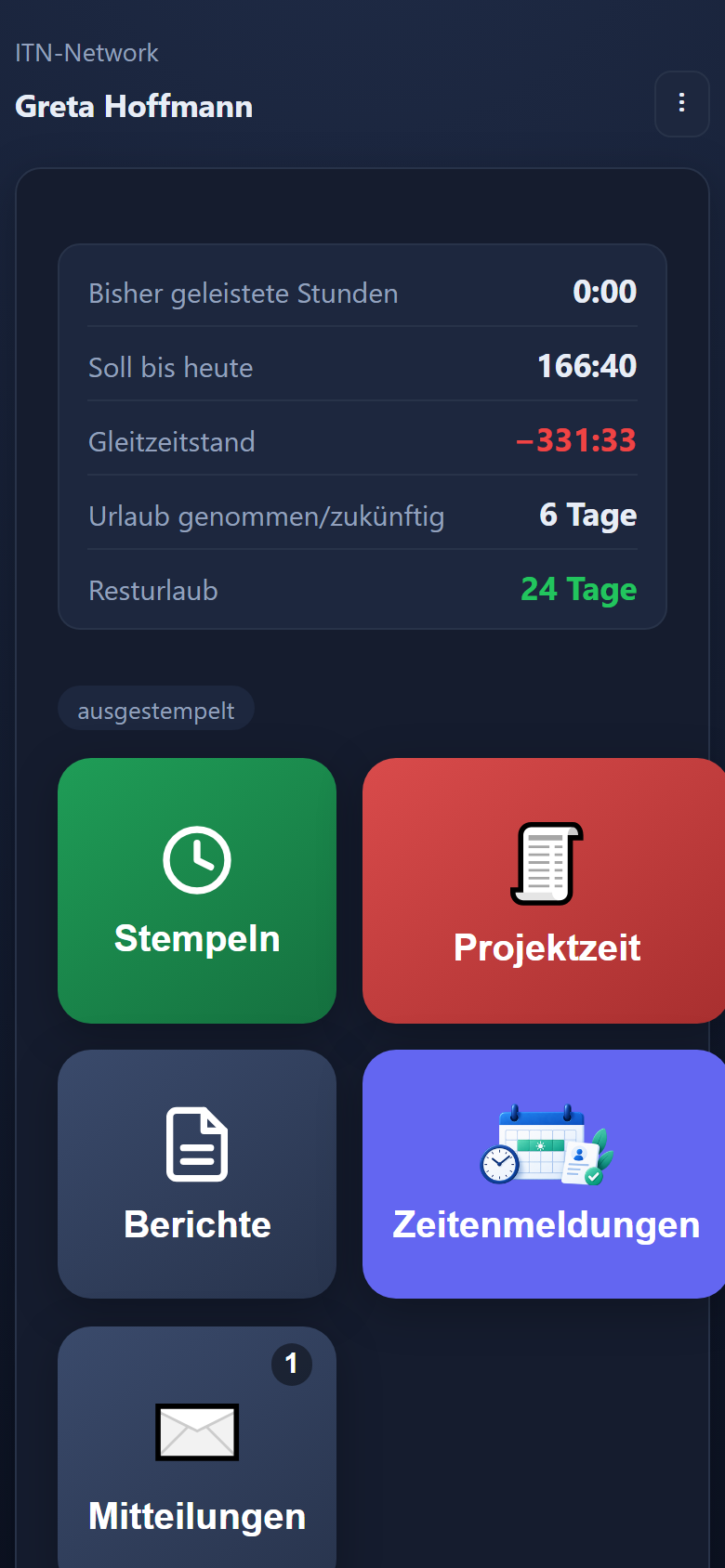
A tile of its own with a counter.
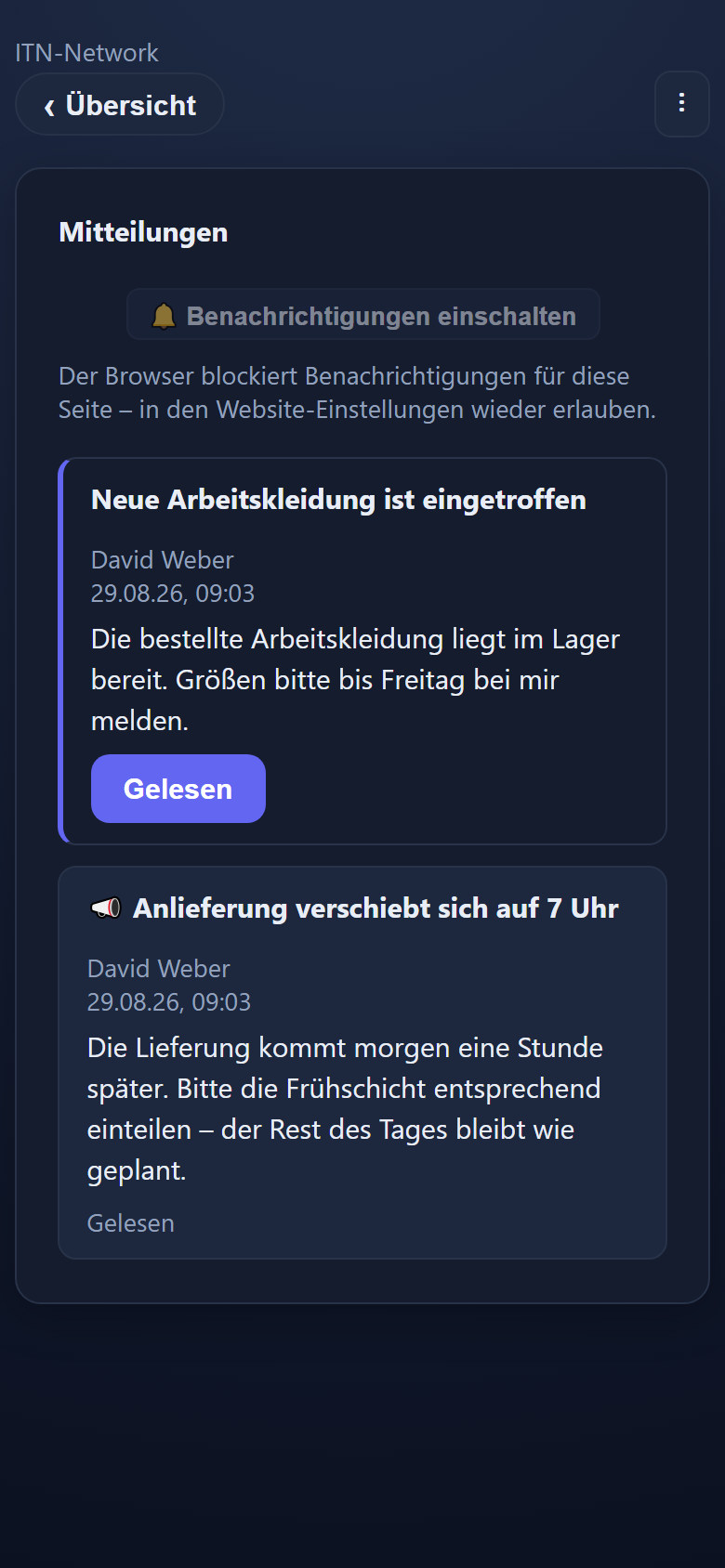
The inbox on the move — read and acknowledge.
Important: opens on start, closes only on acknowledgement.
No push notifications — by design
Operating system notifications are deliberately not used. There is no permission anyone could refuse, and nothing appears on the lock screen — which matters on private phones that nobody has to hand over to the business.
By email as well, if you want
Anyone who also wants to reach a mailbox outside the time tracking ticks „Auch per E-Mail senden“ (also send by email) when writing — at a computer, on a phone and when announcing changes from shift planning. It is sent through your own mail server; acknowledgement still happens in the app.
Readable without a connection
The messages last loaded stay in the app, even where there is no signal in the workshop or the basement.
Deliberately one-way
No chat, no discussion. Anyone who wants to request something uses the request workflow — where the route and the decision are settled.
Questions and answers
Frequently asked questions about messages
Who can a message be sent to?
To a single person, to a whole department or to everyone. The recipient selector offers only the people and groups the sender is allowed to reach.
Who is allowed to write messages?
Administrators and management reach everyone, department heads and editors the groups assigned to them (any stored deputy counted in), a named line manager the people assigned to them. Everyone else has an inbox but no write access.
How does the read receipt work?
The recipient closes the message with „Gelesen“ (read). Under „Gesendet“ (sent), each message then shows how many recipients have taken note of it — with names and times if you want. That makes it demonstrable who had the information.
What is the difference between normal and important?
A normal message waits in the inbox; the bell in the header and the tile in the mobile app show the number unread. One marked important opens as a window the next time the app starts, and closes only on acknowledgement — for when a message really has to reach everyone.
Do staff get a push notification?
No, and that is deliberate. Operating system notifications are not used: there is no permission anyone could refuse, and nothing appears on the lock screen. That matters on private phones, which nobody has to hand over to the business. The tile with its counter is enough.
Can a message go out by email as well?
Yes, in addition if you want. The message always appears in the app; if the sender ticks „Auch per E-Mail senden“ (also send by email) when writing it, every recipient with a stored notification email address also gets an email of their own — sent through your own mail server. Nobody sees the others' addresses, and replies go to the sender. Acknowledgement still happens in the app: reading the email does not count as „Gelesen“ (read). If no mail server is set up, the tick stays greyed out.
Does anything have to be set up on the phone?
No. Anyone already using the app to clock in has the messages along with it — they arrive with the rest of the data. The messages last loaded stay readable without a connection.
Can staff reply?
Messages are deliberately one-way: no chat, no discussion. Anyone who wants to request something uses the request workflow — where the route and the decision are settled.
Can a message be withdrawn?
Yes. It then disappears from every inbox and stays under „Gesendet“ (sent), marked as withdrawn. Emails already sent cannot be called back, though. Every send appears in the change log with sender, subject and number of recipients.
How long are read messages kept?
The time tracking keeps read messages for ten years.
Does an important message also reach colleagues without a phone or PC?
Yes, through the time clock. Anyone who has not yet read an important message sees it there straight after entering their PIN, as a large „ATTENTION“ window, and confirms it with „read and understood“. Normal messages do not appear at the time clock.
A notice board, a phone chain, a WhatsApp group? Tell us what it is about and how many people have to be reached.
Send us your enquiry by email
The button below opens your mail programme with a prepared draft that already lists the details we need in order to quote. Prefer to talk? Give us a call.