
No two duties are alike
Early, late, split, Friday and Saturday only. Maintained in a spreadsheet, the same patterns get drawn by hand again every month.
The shift planning chapterThree people at lunch, eight in the evening, twice that at the weekend. Part-time, casual staff and full-time side by side, and the plan rarely stands unchanged for two weeks. That is why planning, time tracking and information are the same program here.
Three things that cost more time in hospitality than the planning itself.
Early, late, split, Friday and Saturday only. Maintained in a spreadsheet, the same patterns get drawn by hand again every month.
The shift planning chapterSomeone drops out, the plan gets turned around — and then the phone chain begins. The next lunchtime somebody still turns up at the wrong time.
The messages chapter20 hours, 30 hours, and casual staff on call with no fixed hours at all. At the end of the month each should get one figure nobody has to argue about.
The working time models chapterThe plan is made in the grid, the change goes out as a message, and the time tracking works with what was actually done.
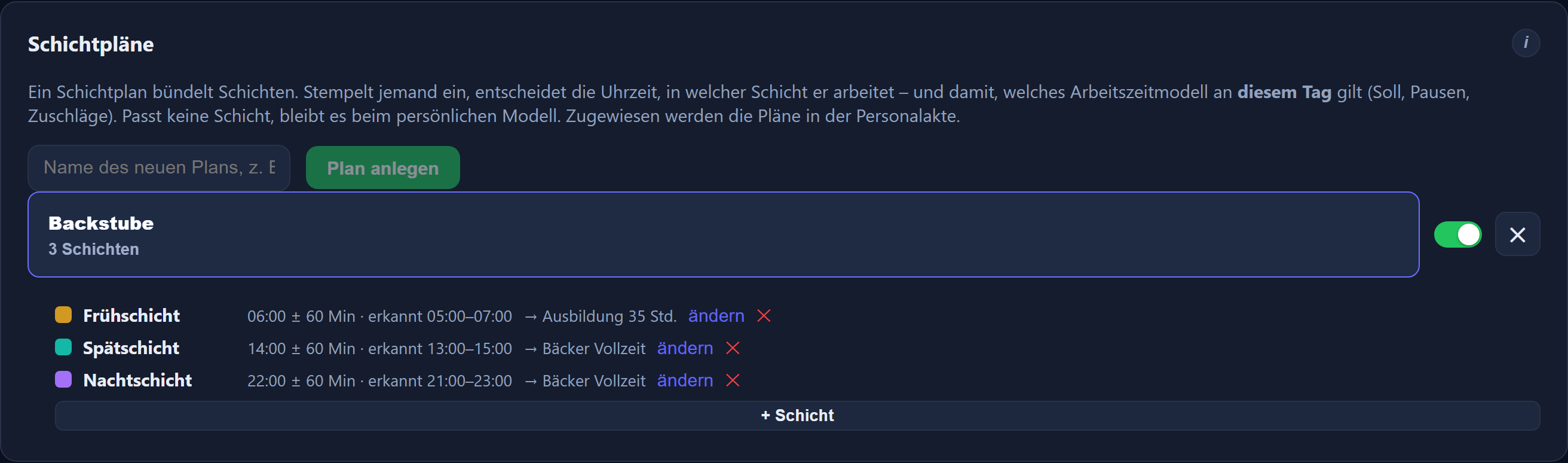

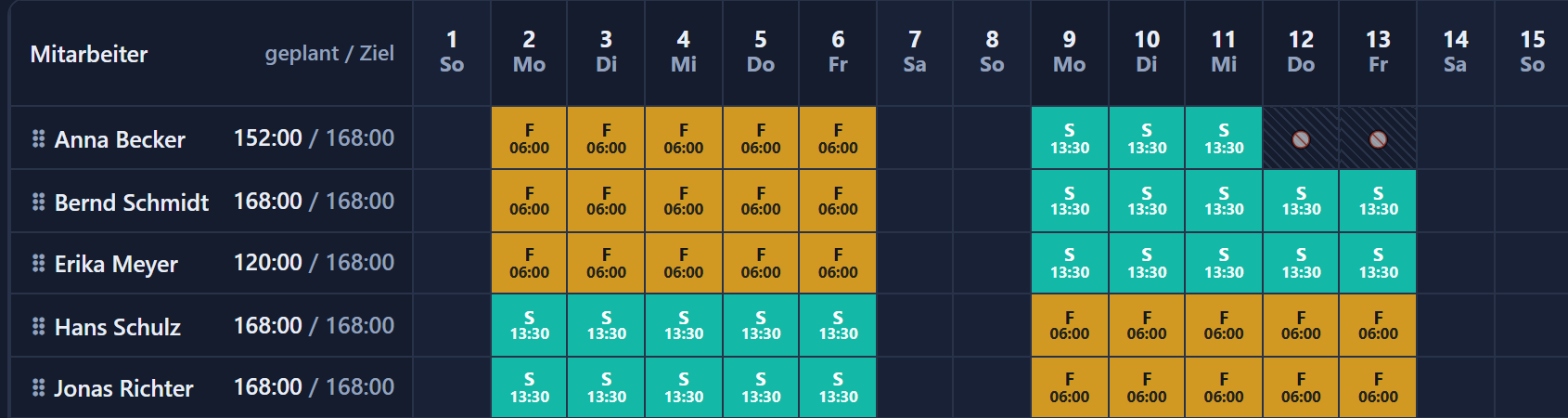
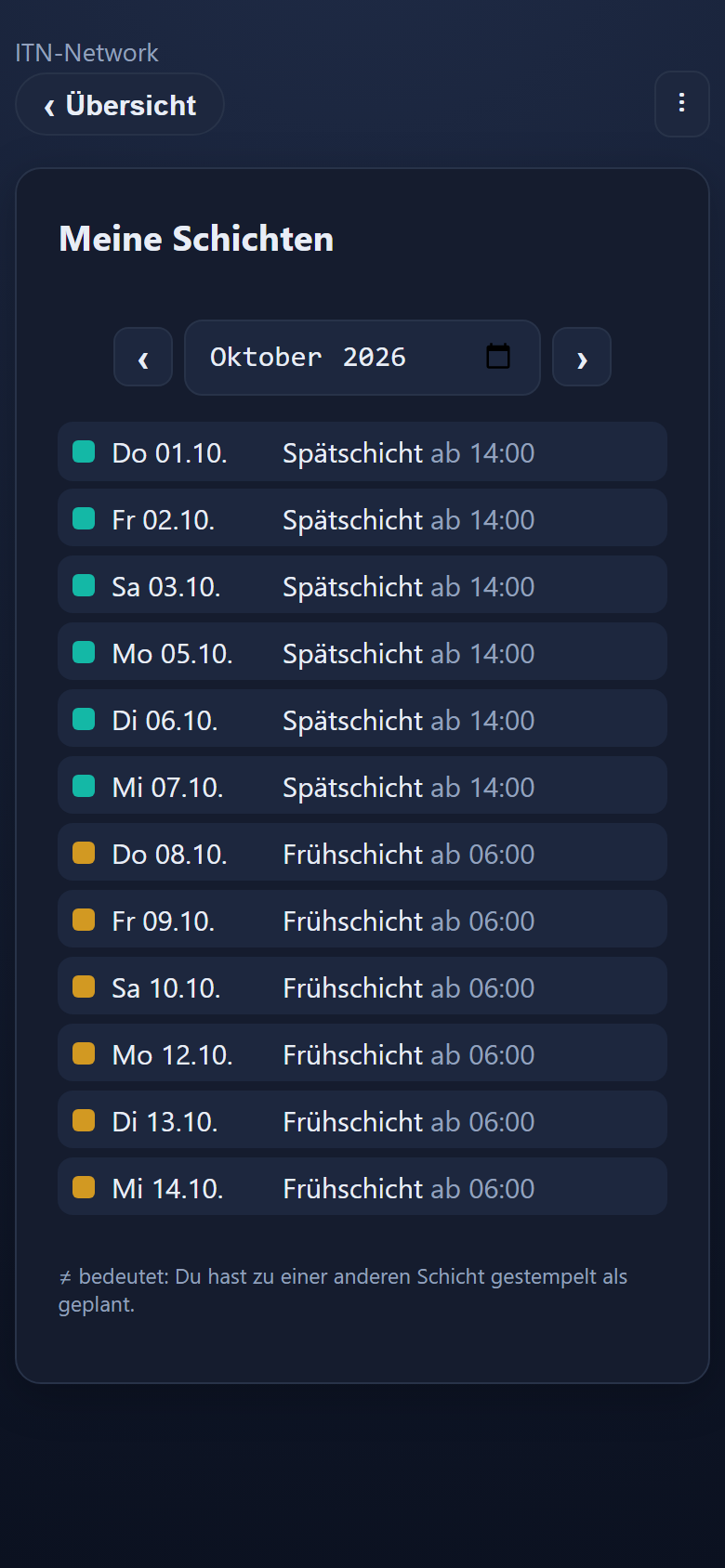
A shift consists of a long name and a short name, a start time, a tolerance and a colour. In the monthly grid it is only assigned after that — across several days or several people at once.
If a shift carries a planned end, with a planned break if you wish, the planning shows „geplant / Ziel“ (planned / target) beside every name, such as „152:00 / 168:00“. While spreading the duties you see who already has their hours and who still needs shifts — especially useful with a lot of part-time staff. Target hours and clocked time are not affected.
For rolling duties every employee gets a shift pattern: a weekly grid over up to twelve weeks that then repeats. The automatic pre-fill builds the month from it — after a preview, and individual days stay overridable.
The mobile app has a tile for it: per day the shift with its time from–to, and below that the month's own planned hours. That puts everyone's own shifts on their phone — no notice board, no asking. For the board itself the program supplies three landscape PDFs with a colour key: the grid alone, the grid with staffing levels, or the cover alone.
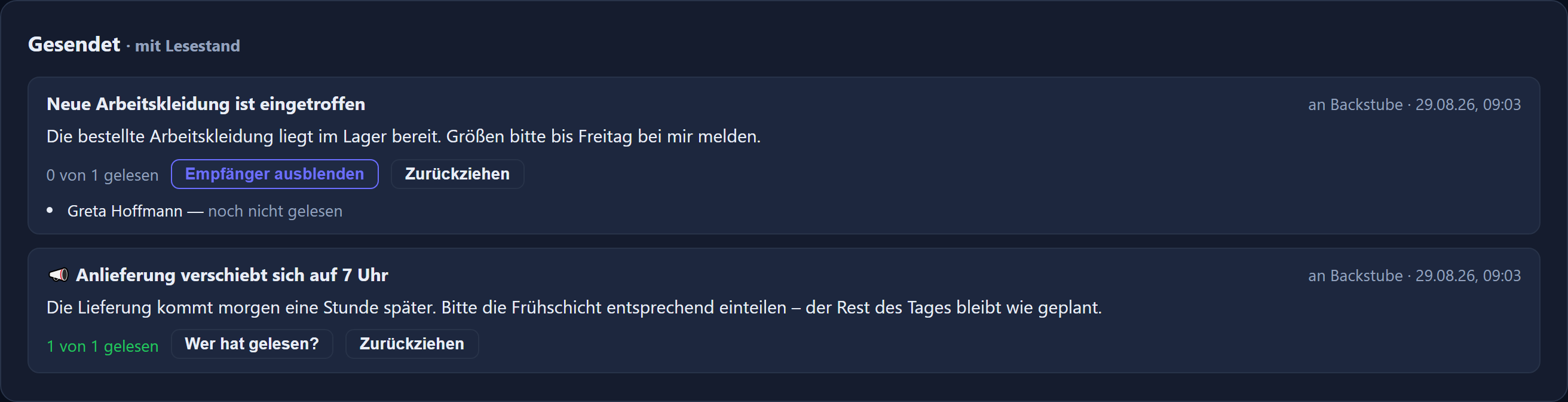
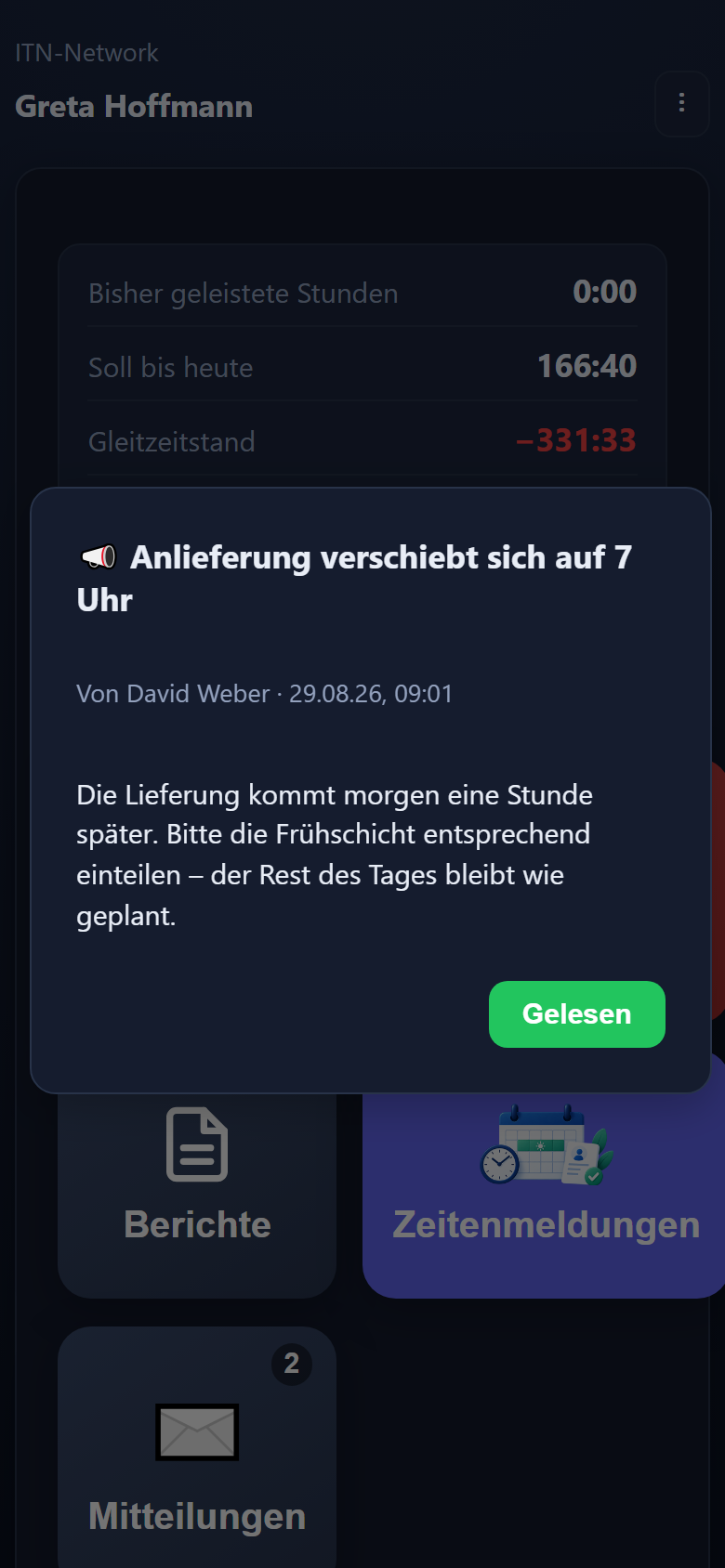
A message goes to one person, a department or everyone — into the app and, if you wish, also as an email through your own mail server. Marked important, it opens as a window the next time the app starts and closes only on acknowledgement. Afterwards you can read off who has seen it.
Working time models apply per person: daily target, break rule and premiums. For casual staff without fixed hours there are two routes: a model in which all hours worked count, or one with a target of 0:00 and an absence value on the usual working days. Part-time, casual and full-time run side by side in the same plan and are still calculated separately.
Premiums such as a late premium or a flat-rate allowance per shift can be attached directly to the duty. They apply on every day with that shift, on top of the premiums from the person's working time model. The reports show a flat-rate allowance as count × amount, the payroll summary with count and total; it does not go into the DATEV file.
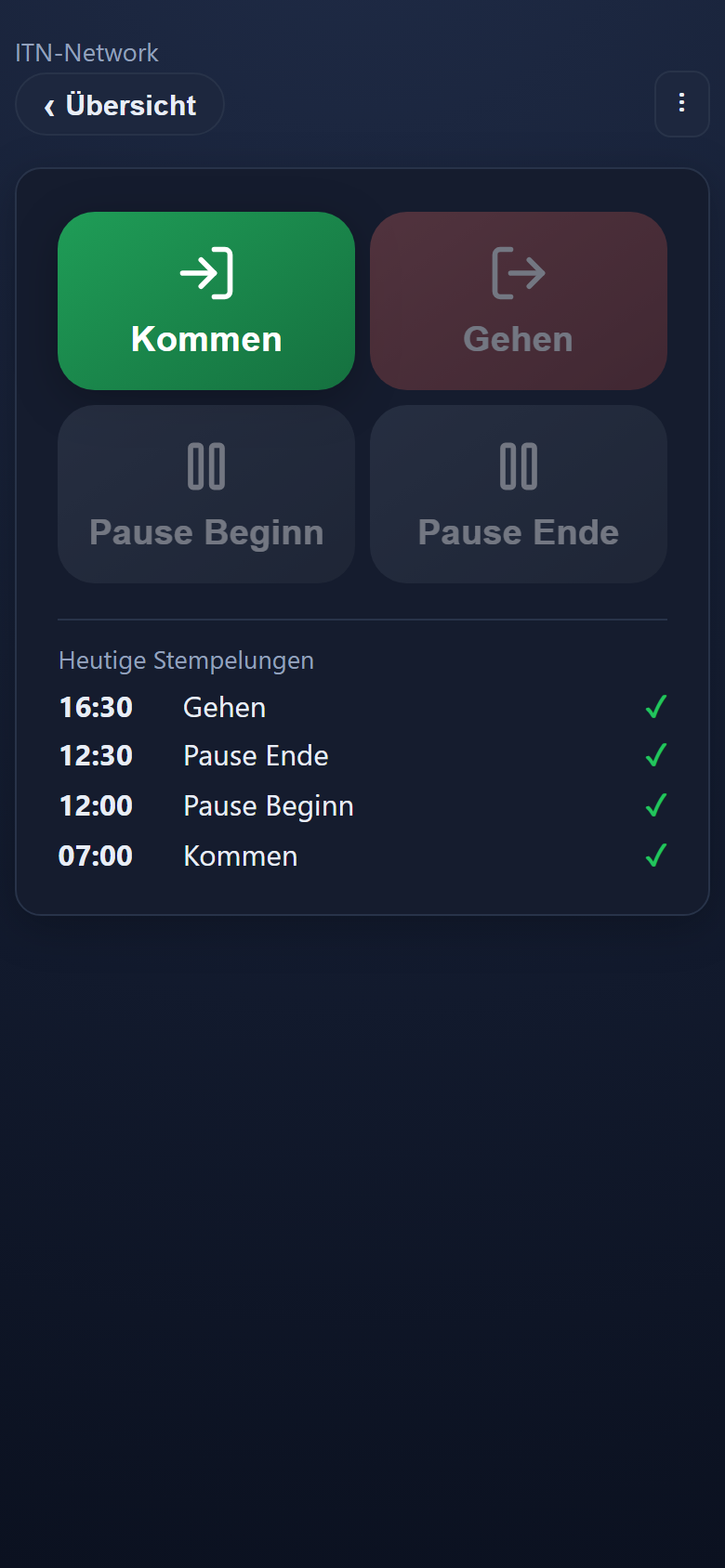
In the day view the plan and the clock-ins sit side by side. Whoever takes the late shift after being rostered for the early one is calculated as a late shift — and the difference stays visible.
More on this: shift planning · staff messages · leave and absences · multi-site businesses · feature reference
Step by step in the manual (in German): shift plans · messages.
Each shift is created once with a long name and a short name, a start time, a tolerance and a colour. After that you spread it across the monthly grid — over several days or several people. The colour is what identifies the shift later in the grid and on the printed plan.
Yes, through the shift pattern under Time tracking → Shift planning → Assignments. Each employee has a weekly grid there from Monday to Sunday plus a column of its own for public holidays; the cycle runs over up to twelve weeks and then repeats. „Automatisch vorbelegen“ (pre-fill automatically) turns it into the monthly plan, optionally for one to three months, and shows in a preview beforehand what will be set and where it does not fit.
Through a message to those affected or to everyone. It appears in the app and, if you wish, also arrives as an email through your own mail server. Marked important, it opens as a window the next time the app starts and closes only on acknowledgement. In the overview you see who has read it.
Yes. The mobile app has a tile showing their own shifts: per day the shift, with its time from–to where a planned end is set, and below that „Geplant in diesem Monat“ (planned this month) with the total of their own planned hours. For the notice board there is also the monthly grid as a landscape PDF with a colour key, in three cuts: the grid alone, the grid with staffing levels, or the cover alone without names.
Yes, as soon as your shifts carry a planned end (a planned break is optional). Every name then shows „geplant / Ziel“ (planned / target) — the hours rostered in the month beside the target from the working time model, or beside the monthly goal where days are chosen freely. Leave and sickness already credited are taken into account, and the planning shows what is still to be rostered. It is planning alone: what counts is still what is clocked.
Through their own working time models. Each person gets their daily target, their break rule and their premiums; all of them sit in the same plan and are still calculated separately. Casual staff without fixed hours can be set up in two ways: with the „Alle gearbeiteten Stunden zählen“ (all hours worked count) model every recorded hour counts, there is no leave, and sickness can be entered as a record. With a model that has a target per weekday of 0:00 and an absence value on the usual working days, leave and sickness on those days credit the value entered. Whether and to what extent casual staff receive leave and sick pay is for your payroll office to settle.
Yes. Premiums from the catalogue can be attached directly to a shift, such as a late premium from 20:00 to 22:00. They apply on every day with that shift, on top of the premiums of the working time model and on public holidays too. Instead of a percentage, a fixed amount per shift is possible as well, say €20.00: the reports show it as „5 × 20,00 € = 100,00 €“, the payroll summary with count and total. This flat-rate allowance does not go into the DATEV file; your payroll office transfers it from the payroll summary.
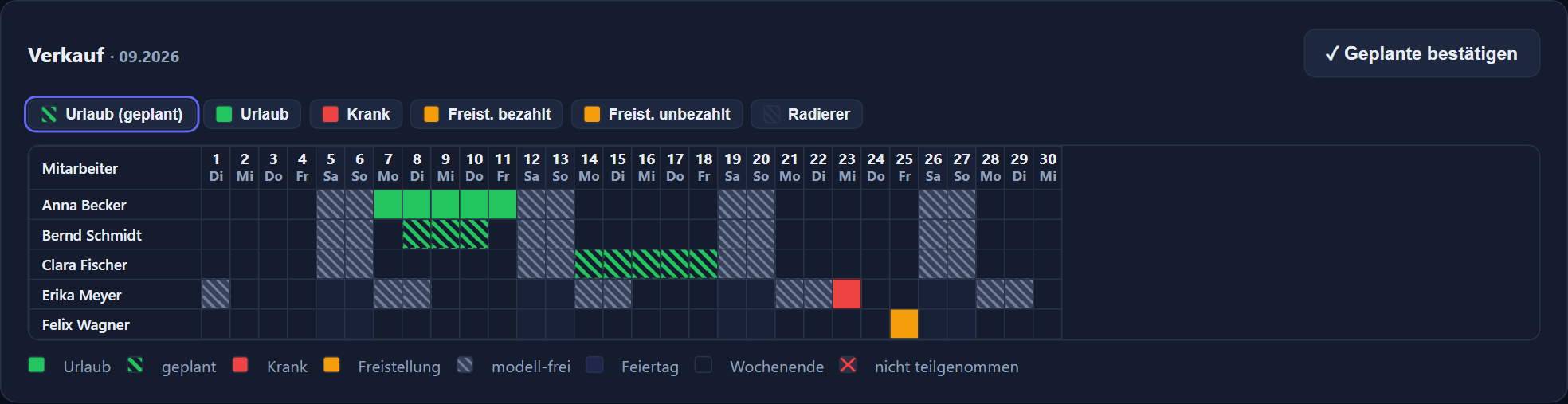
Absences are drawn graphically across the days and appear in the same picture as the duties. Requests run digitally via the line manager, so that the plan and the absence match.
2.90 € per employee and month plus VAT, with no minimum term and cancellable monthly. Shift planning, leave management, staff messages, the mobile app and the DATEV export are included.
Tell us how many people you roster and which duties there are. We will rebuild one week of it and show you how it connects to the time tracking.
The button below opens your mail programme with a prepared draft that already lists the details we need in order to quote. Prefer to talk? Give us a call.
Or simply write to info@itn-network.de. Please do not send us credentials or any of your employees' time records — figures are enough for a quote.