
Target time, actual time and the time account
Three terms that most queries turn on. What they mean, how the balance arises from them, and what happens to it at the turn of the month.
TermsBetween the tap in the morning and the figure that reaches the payroll run lie four steps. Knowing them also explains why two businesses running the same software arrive at different results — and where each of them decides.
That sounds obvious, and it is the source of most misunderstandings.
Tapping „Kommen“ in the morning does not create a working day, it creates a single entry: this person, this moment, this route. The route is recorded with it — the browser at the desk, the mobile app, the tablet with a personal PIN, or a fixed terminal reading a chip or a fingerprint.
That it is a moment and not a duration has a practical consequence: a clock-in alone says nothing yet about target, break or premium. It is the observation. Everything after it is calculation — and the rules for that are yours to set.
Because the moment is the raw material, it has to be capturable when there is no connection. In the mobile app it goes into a queue on the phone and is sent later with its original time; a fixed terminal buffers in the same way and reports afterwards.
This is where it is decided whether anyone has to recalculate at the end of the month.
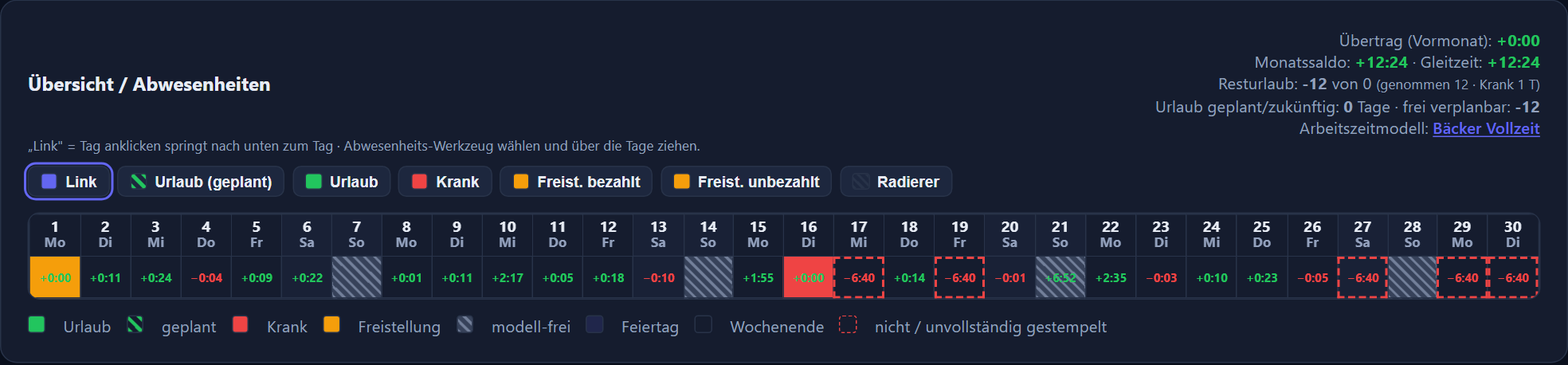
Every person has a model with day cards from Monday to Sunday. They hold how long the day should be, which break rule applies and how public holidays are treated.
Whether a break is clocked or deducted by rule is a setting. The day row then shows which rule applied — which answers the query before it is asked.
Night, Sunday and public holiday premiums apply within their time window, overtime premiums to the time above the target, a flat-rate allowance per shift once per day with hours counted. Whoever meets the condition receives the premium; nobody enters it afterwards.
Actual minus target gives the day's balance. What becomes of it over the month is set out under target time, actual time and the time account.
How a model is built — core hours, clocking window, overnight shifts — is under working time models and flexitime.
It happens. What matters is what becomes of it afterwards.
In a program where everyone can change their own times, the record is worth little. In one where nobody can change anything, it becomes wrong. The route in between is the report: the person concerned enters what is missing and gives a reason. The line manager sees the report and decides.
Only with approval does the time change. The change then appears in the log — with the time, the person responsible, the operation and the value that stood there before. Log entries can neither be altered nor deleted. That protects both sides: the business, when the record has to be produced, and the employees, when somebody claims it was otherwise.
Leave and absences take the same route. That is not a coincidence but the same idea: whoever wants a change makes a request, and whoever is responsible decides it.
The month-end close is where it shows whether the three previous steps were clean.
The monthly overview lists every figure per person on one page. Anything unusual — a missing counterpart clock-in, an odd balance — is noticed here, not first at the payroll office.
Daily, monthly and group reports come out as a table, PDF and CSV. „Per E-Mail senden“ (send by email) sends the selected report as a PDF to up to three addresses, such as the payroll office — with a check step before it goes. For an individual employee's query, the report they already see on their phone is enough.
For the payroll run a DATEV file is produced. For it to arrive without rework, personnel numbers and wage types have to be mapped once — that is work at the start, not every month.
The whole route from clock-in to payroll file is under DATEV and payroll. What the duty to record demands of it is a topic of its own: the legal position.
Same software, two businesses, two results — that is never down to the software but to these four settings.
Browser, phone, tablet with a PIN, fixed terminal — or several side by side. What you need in devices follows from this.
One model per set of working time rules, not per person. This is the part worth sitting down for once, properly.
Responsibility and deputy are settled before the first request is made — otherwise it sits there.
Map wage types and personnel numbers once, run the first month in parallel, and it is right.
Three terms that most queries turn on. What they mean, how the balance arises from them, and what happens to it at the turn of the month.
TermsSchool days, block weeks and school holidays are part of the training year — and of the planning. How they are stored once and what happens to the daily target and the balance afterwards.
Apprenticeships