
Flexitime has to be calculated
Core hours, clocking window, carry-over, capping limit. Kept in a spreadsheet, it ends up holding more formulas than times — and every change to the rules means checking all of it again.
The working time models chapterPublic bodies work with flexitime, core hours and time accounts — and they have to be able to explain who changed what and when. Both belong to the program here. For public employers the price is 1.00 € per employee and month.
Three points that have to be settled in a public body before the rollout, not after it.
Core hours, clocking window, carry-over, capping limit. Kept in a spreadsheet, it ends up holding more formulas than times — and every change to the rules means checking all of it again.
The working time models chapterBefore the rollout it must be explainable who sees which data and who can change it. That question is best answered with a setting you can actually demonstrate.
The administration and security chapterA time changed after the fact is part of everyday work. What matters is that it stays established afterwards who changed it, when — and what stood there before.
The change log chapterThe working time rules are stored once as a model. After that the system calculates — and writes down at the same time what is being changed about it.
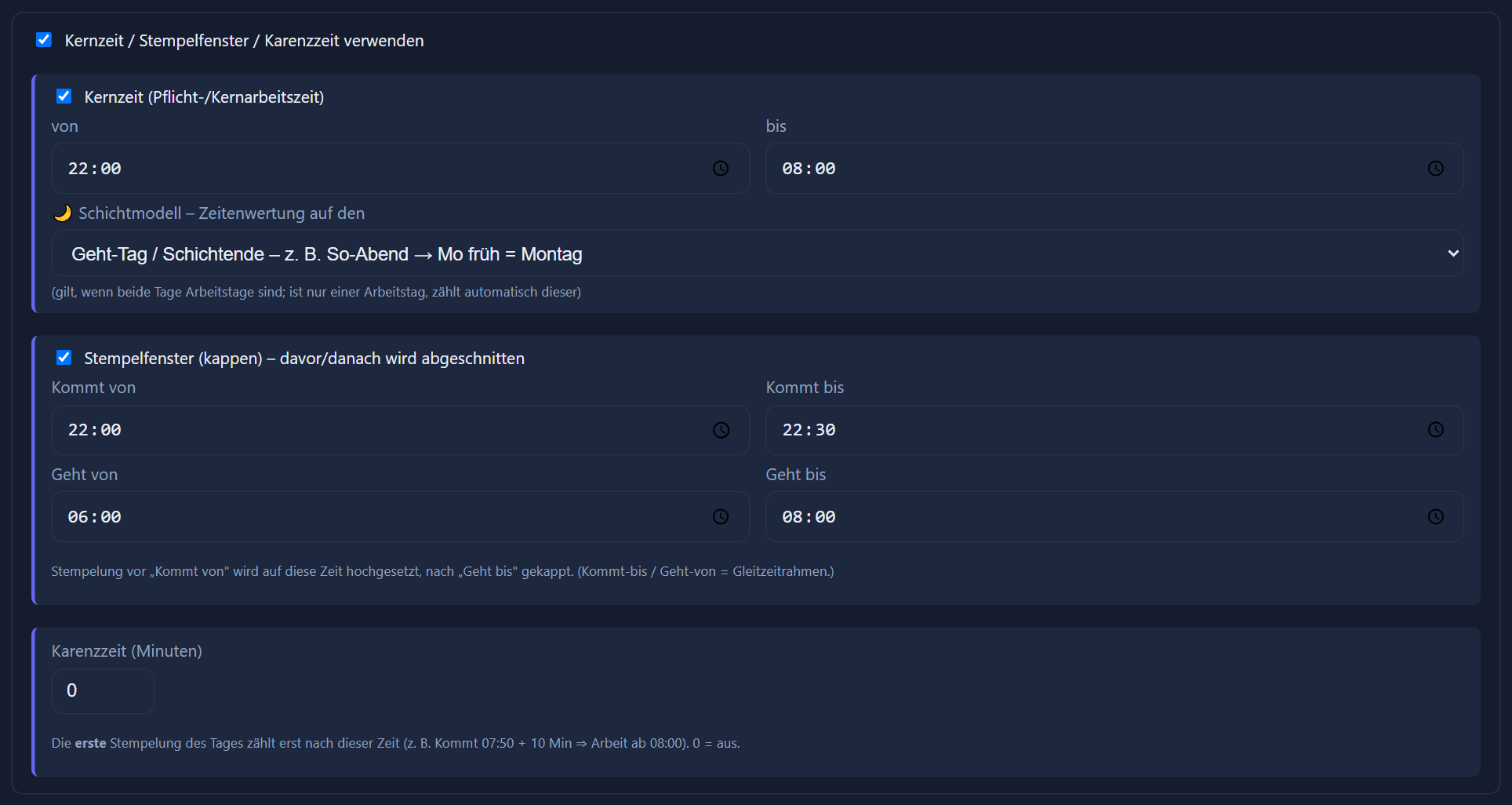

The model holds the daily target, the break rule, the public holiday rule, the core hours and the clocking window per day card. Anyone working under different rules gets a different model — side by side in the same house.
The flexitime account is switched on or off per model. When it is on, the balance of the previous months moves into the new month as a carry-over; a capping limit bounds it from above on request.
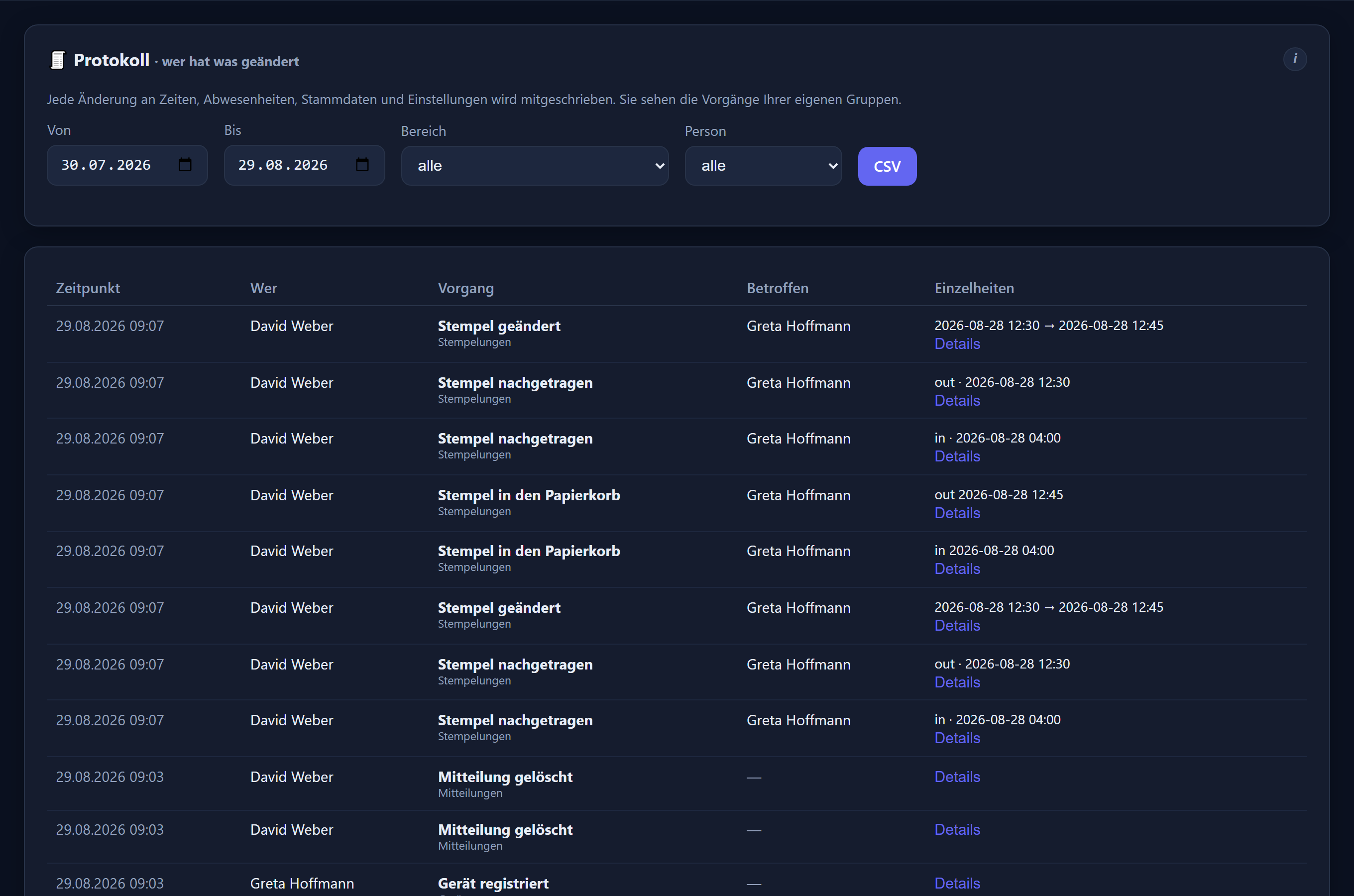
Every change to times, absences, master data and settings is written down — with the time, the person responsible, the operation and the value before it. Entries can neither be altered nor deleted; the list is filtered by period, area and person and comes out as CSV.
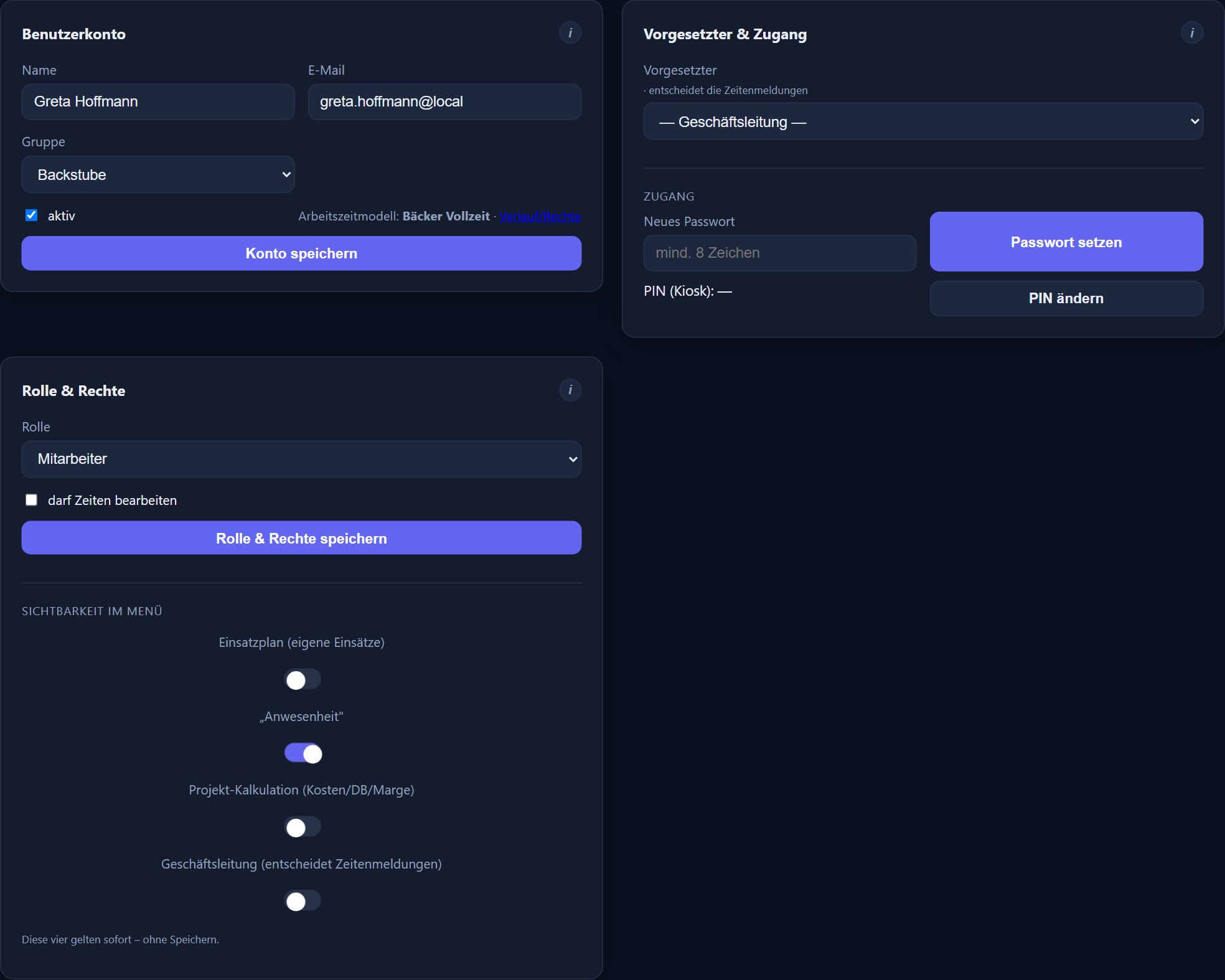
Editing rights hang on role and group, plus additional rights per person — such as editing times, limited to particular groups if you want. Who may maintain and evaluate whose hours is therefore a setting that can be shown in a meeting.
Leave, absences and time corrections run as requests along the line of responsibility, with a deputy on file. The route is settled before the first request is made.
ITN-Zeiterfassung runs in a data centre in Germany, and processing on your behalf is governed by a data processing agreement. For a staff agreement those are the points asked about first.
More on this: working time models and flexitime · data protection and co-determination · the legal position · feature reference
Step by step in the manual (in German): working time models · change log.
Yes. Core hours and the clocking window belong to the day card of the working time model, as do the daily target, the break rule and the public holiday rule. For pure monthly flexitime there is a monthly target that leaves the daily distribution open.
The flexitime account is switched on per model. The balance of the previous months moves into the new month as a carry-over; a capping limit bounds it from above on request. The account card shows carry-over, monthly balance, flexitime and remaining leave at a glance.
Insight into other people's hours comes with the right to edit times, which you grant per person and can limit to particular groups — there is no read-only right. What was changed in the data is shown by the log: it records every change with the person, the time and the previous value.
Yes. Changes to times, absences, master data and settings are recorded with the time, the person responsible, the operation and the employee concerned, and on a click with the value before it. The log is a record view: entries can neither be altered nor deleted.
Who sees hours and evaluations depends on role and group; requests are also seen and decided by the line manager named for the person, or by management where none is named. A department head sees those of the departments assigned to them and of the departments for which they are the deputy on file. Additional rights such as editing times are granted per person and can be limited to particular groups.
In a data centre in Germany. Processing on your behalf is governed by a data processing agreement — reviewing it remains, as usual, with your data protection officers.
For church, non-profit and public-sector employers, 1.00 € per employee and month plus VAT, with no minimum term and cancellable monthly. Shift planning, leave management, staff messages, the mobile app and the DATEV export are included.
Tell us your rules and the number of employees. We will reproduce core hours, clocking window and time account in a model and show you the result over a complete month.
The button below opens your mail programme with a prepared draft that already lists the details we need in order to quote. Prefer to talk? Give us a call.
Or simply write to info@itn-network.de. Please do not send us credentials or any of your employees' time records — figures are enough for a quote.