
The slip in the glove compartment
It gets written down in the evening, sometimes not until Friday. What ends up on the slip is a recollection — and at the end of the month somebody in the office turns it into hours.
Your people are at a customer's in the morning, in a shell building at midday and in the store at night. Working time arises where the work happens — recorded by phone, even where there is no signal in the basement.
Before any talk of software: these are the three places where most of the time is lost in the trades.
It gets written down in the evening, sometimes not until Friday. What ends up on the slip is a recollection — and at the end of the month somebody in the office turns it into hours.
Shell buildings, underground car parks, boiler rooms: exactly where the work happens, reception is at its worst. Time tracking has to work in those places too, or it will not be used.
The mobile app chapterOne site in the morning, the next in the afternoon, the workshop in between. At the end of the month it should still be traceable who worked where and when.
The location check chapterThe phone already in the pocket is the time clock. In the office everything comes together — per person, per day, per site.
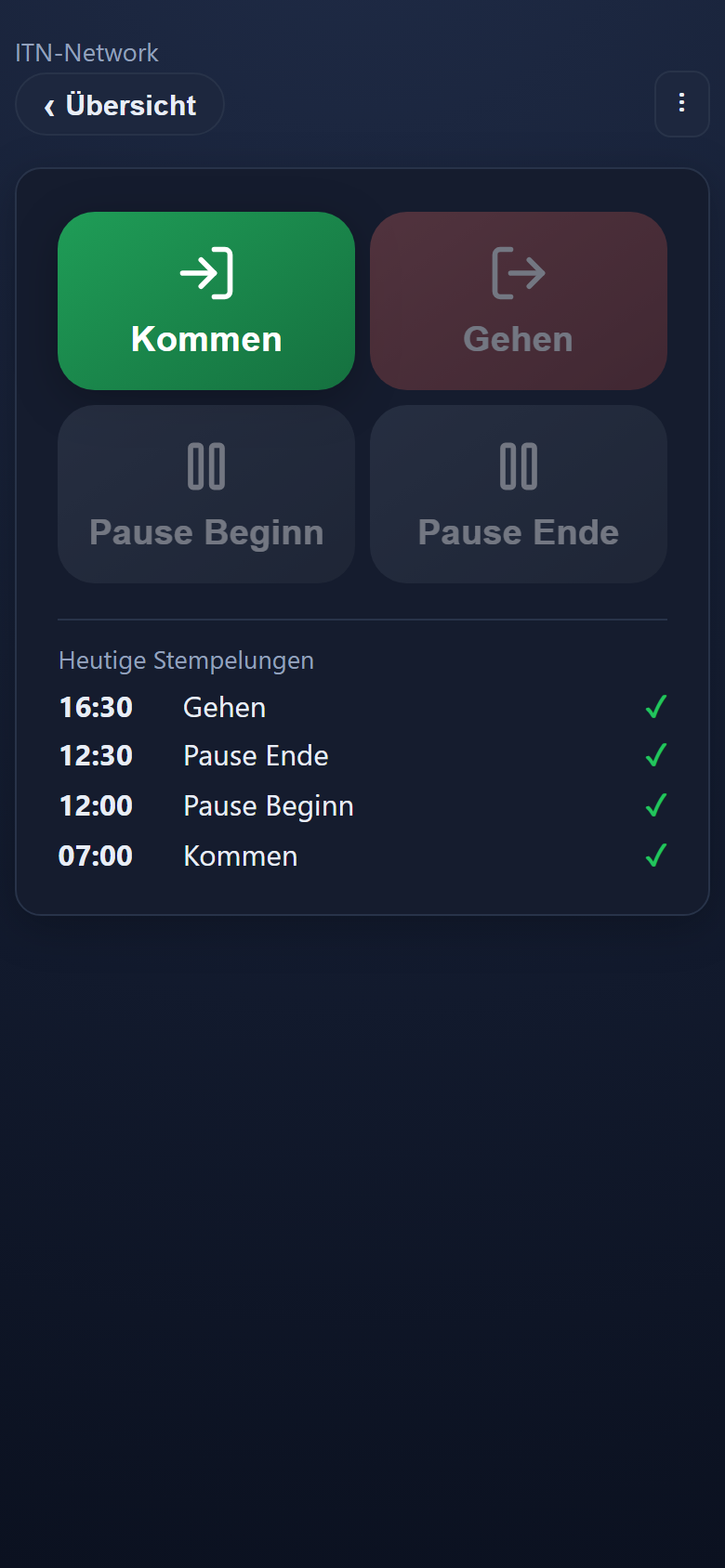
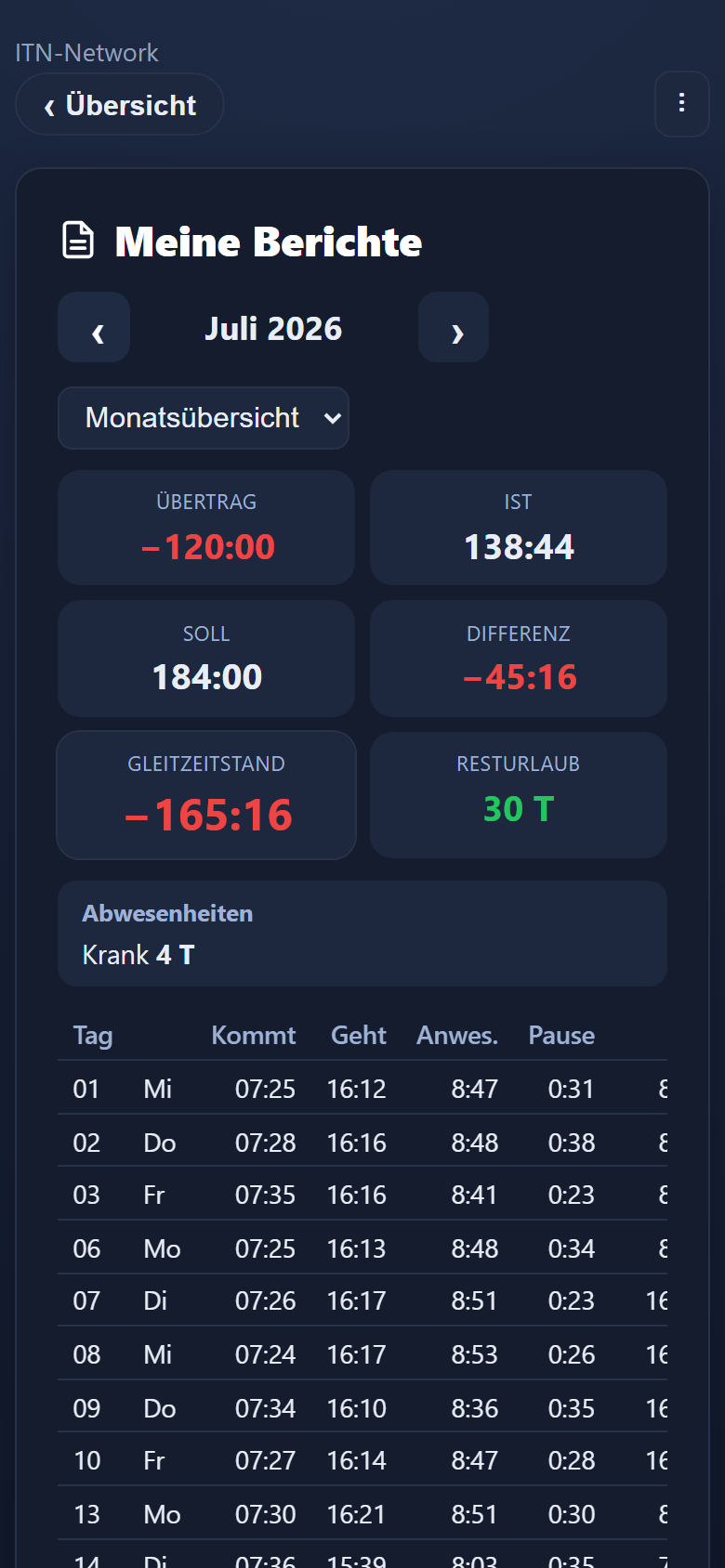
It opens in the phone's browser and is placed on the home screen with one tap. After that it starts like any other app. Anyone with a smartphone can clock in with it.
Clock-ins made without a connection go into a queue on the phone and are transmitted as soon as there is a signal again — even if the app was closed in between.
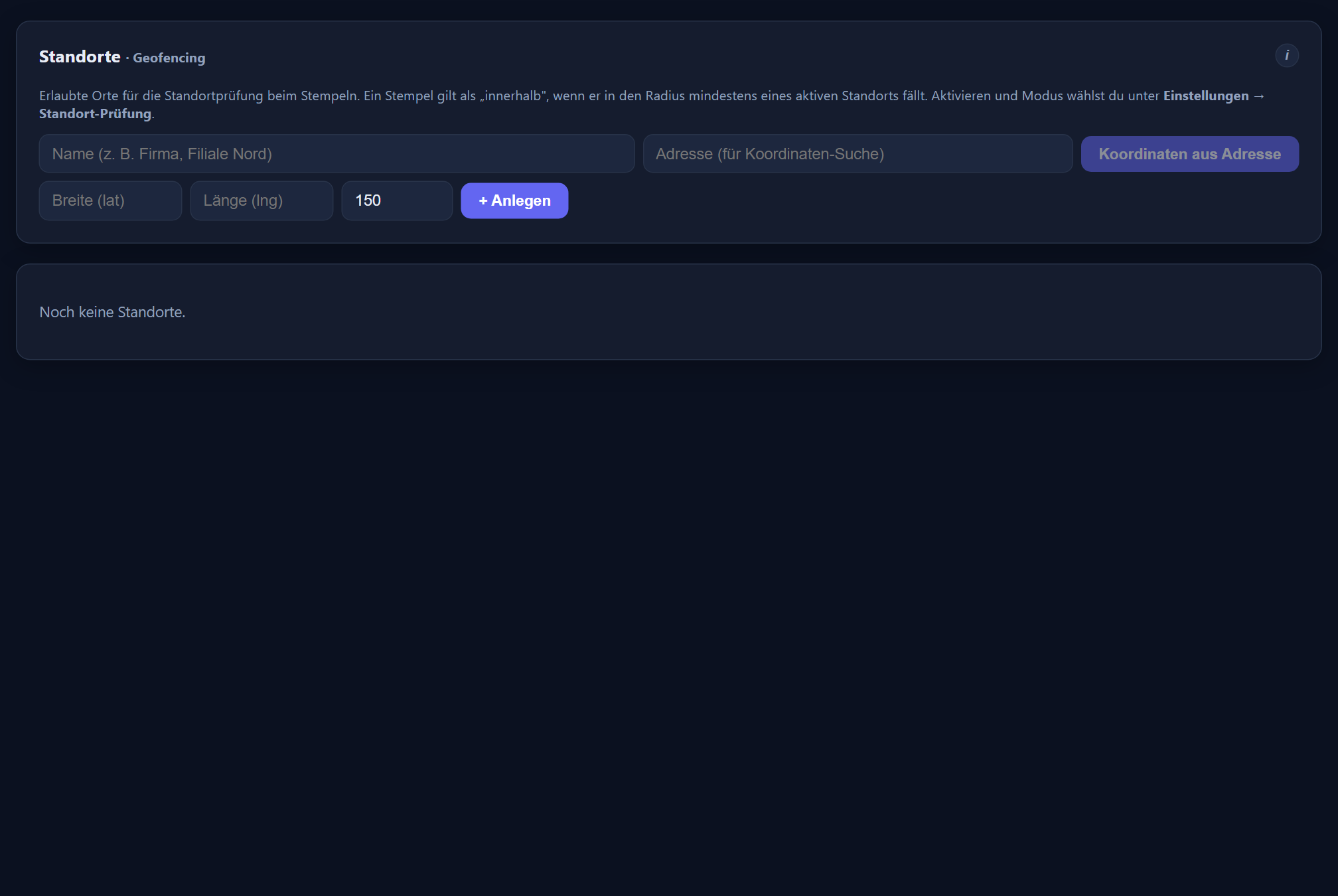
A site consists of a name, coordinates and a radius; the coordinates can be derived from an address. The check is switched on separately for phone and PC and is off by default — without it, sites serve as information only.
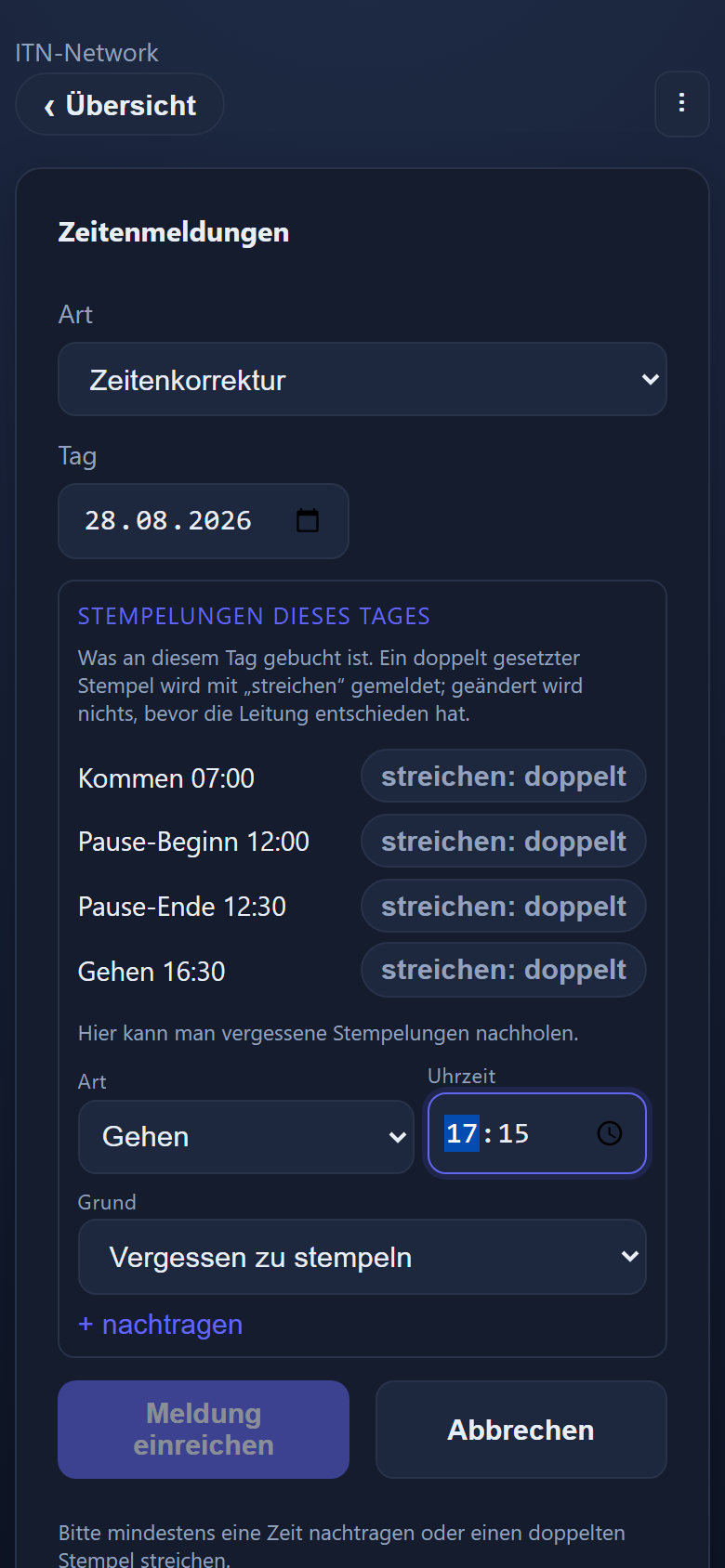
Whoever forgets to clock in reports the time from the app. The line manager sees the report and decides; the change then appears in the log with the person and the time.
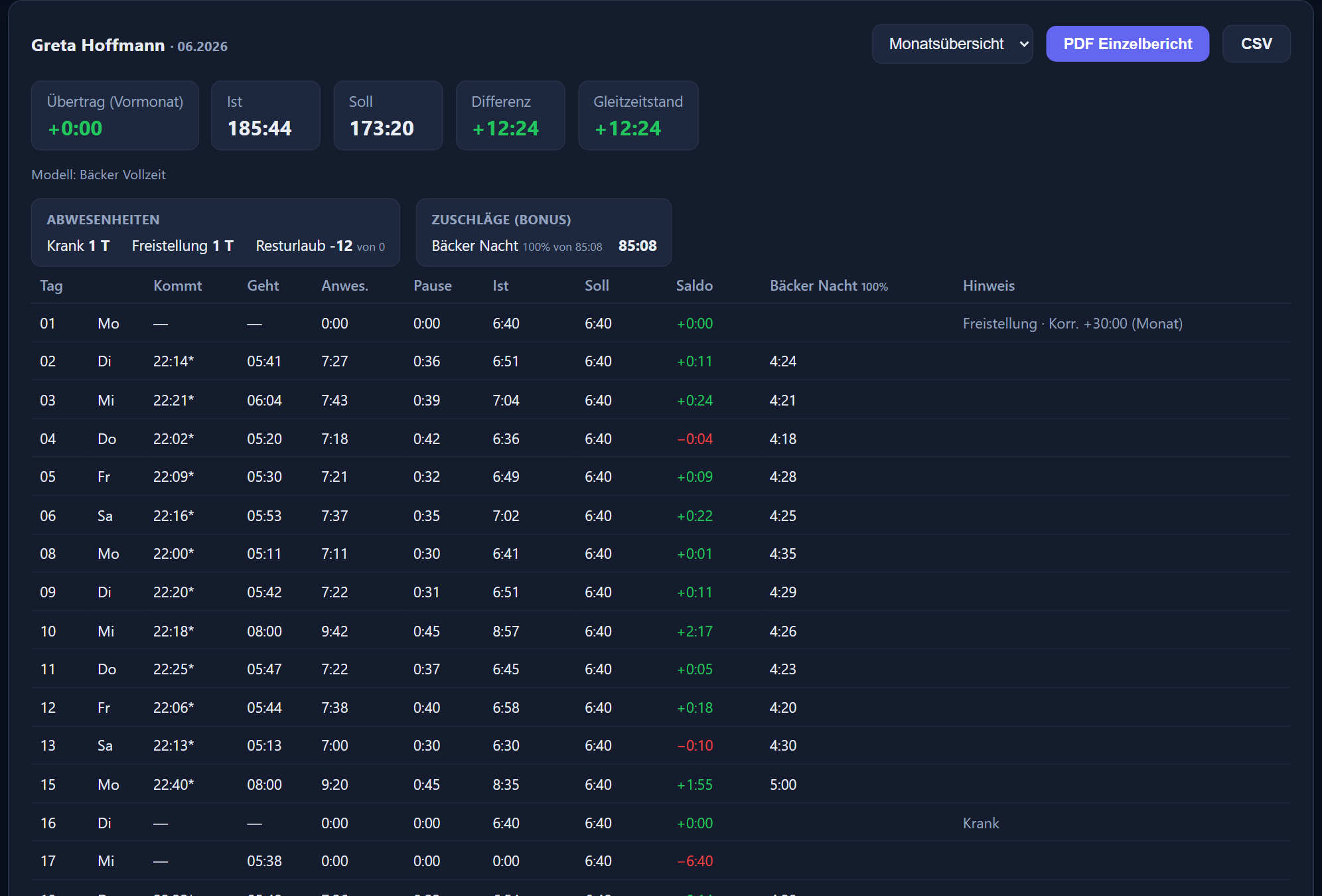
Reports per person or group for a month or any period you choose — day by day or with every single booking, as a table, PDF and CSV. „Per E-Mail senden“ (send by email) sends the report as a PDF to up to three addresses, such as the payroll office. For the payroll run an import file for DATEV is produced, and for other payroll programs the payroll summary.
Each person gets their working time model with their own target, their own break rule and their own premiums; for casual staff without fixed hours, all hours worked can simply count. For apprentices, vocational school days are generated from the school timetable on file.
More on this: mobile app · time clock and terminals · the legal position · feature reference
Step by step in the manual (in German): mobile app · location check.
Yes. The clock-in is stored on the phone and held in a queue. As soon as there is a connection again it goes to the server by itself — even if the app was closed in between.
The app opens in the browser and is placed on the home screen with one tap. After that it looks and starts like any other app. Anyone who prefers a fixed device uses a tablet in the workshop as a PIN terminal, or a Datafox terminal with a chip or fingerprint.
That is what the location check is for: you put sites on file with coordinates and a radius and switch the check on separately for phone and PC. It is off by default — the sites then serve as information only. Whether you switch it on is something you decide together with your workforce.
They report the time from the app. The report reaches the line manager, who accepts it or sends it back. Every change appears in the log with the person, the time and the previous value.
Yes. Working time models are assigned per person: their own daily target, their own break rule, their own premiums. For apprentices the system generates the vocational school days from the timetable on file.
Through the payroll export. The wage type numbers are entered once, after which an import file for DATEV LODAS or Lohn und Gehalt is produced each month. For other payroll programs there is the payroll summary as CSV or PDF, from which your payroll office transfers the figures. Alongside that there are reports as PDF and CSV for everything that stays in house — and at the press of a button by email to the payroll office as well.
2.90 € per employee and month plus VAT, with no minimum term and cancellable monthly. Shift planning, leave management, staff messages and the mobile app are included. The only thing you can add is the Projektzeit add-on module at 1.90 € per user and month plus VAT.
Tell us how many employees there are and how the hours come together today. We will show you the route from the phone to the payroll file using your own example.
The button below opens your mail programme with a prepared draft that already lists the details we need in order to quote. Prefer to talk? Give us a call.
Or simply write to info@itn-network.de. Please do not send us credentials or any of your employees' time records — figures are enough for a quote.